
Overview
Parameter calculations are a great technique when you are trying to pass a value between multiple applications. For example, you would like to pass a value from the prompt page or URL to the output page to determine some conditional calculations. In our case, our calculation would accept a value, then a conditional calculation would determine what to print in our table data based on the parameter calc.
How to Work with Parameter Calculations
The key to parameter calculation fields is that when you create it, you are merely creating a holder that will hold a value for later. In our case, the “later” will be when the value is passed via the prompt page.
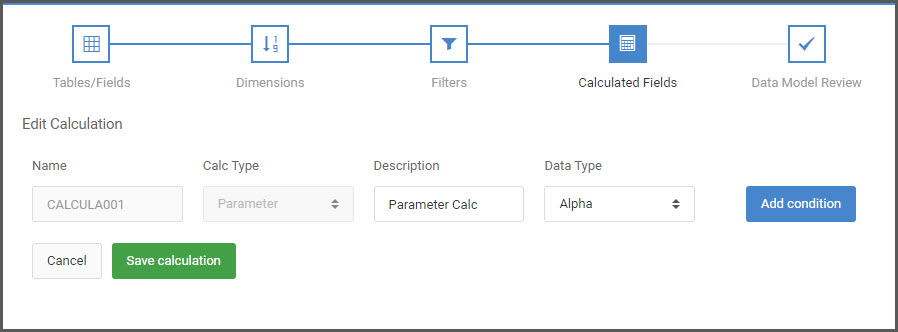
To create this place holder, go to the Calculations screen. At the calculation definition screen, select “Parameter” from the Calc Type dropdown list. Next, enter your description field. For decimal, choose an appropriate value (In our case, our output needs to be alpha).
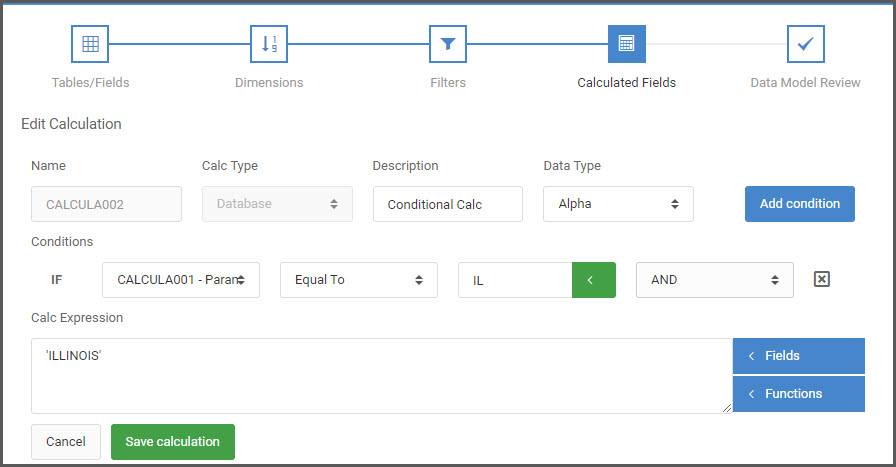
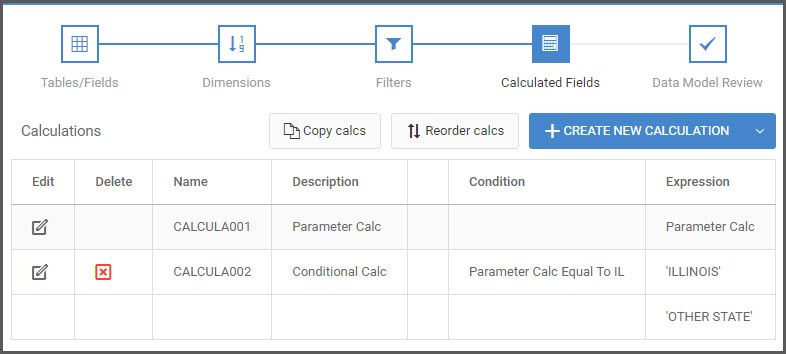
Next, setup your conditional calculation to best fit your needs. For our example, we will say that if the value passed to CALCULA001 is ‘IL’ then our Calculation will read ‘ILLINOIS’, if not it will say ‘OTHER STATE’.
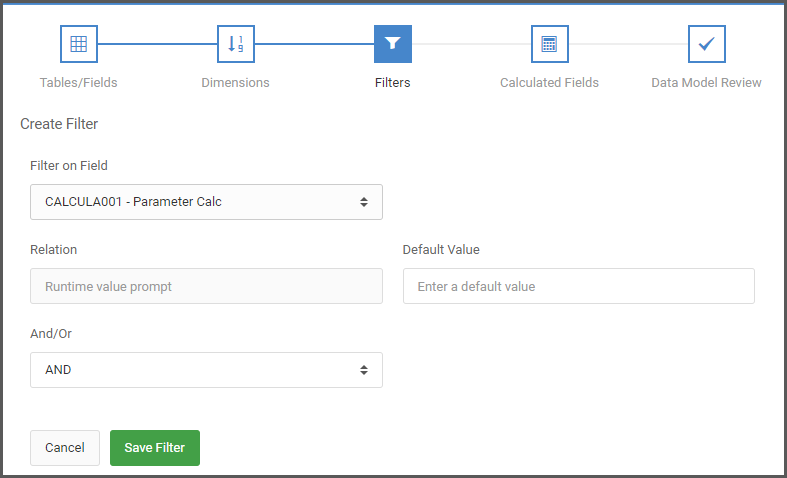
To have end users enter a value at the prompt page, add a Filter and choose CALCULA001 from the Field dropdown list. Once selected, the page will automatically change to have your parameter calc as a Runtime value prompt. Here you may optionally enter a default value as well.
Make any other changes as needed to your application and then click “Build app”.
If wanting to enter your value through the URL, when you run your application, simply add CALCULA001=IL&run=2 to the URL, and press enter. Based on the value you’ve passed in the URL, you can control your Conditional calculation.