Overview
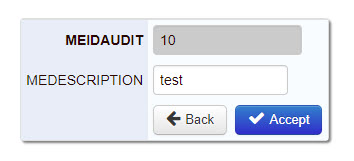
When you utilize maintenance applications for your end users, you will, more likely than not, want to record when and who have made the most recent changes to your data. Doing this within the m-Power software is a breeze.
Configuration
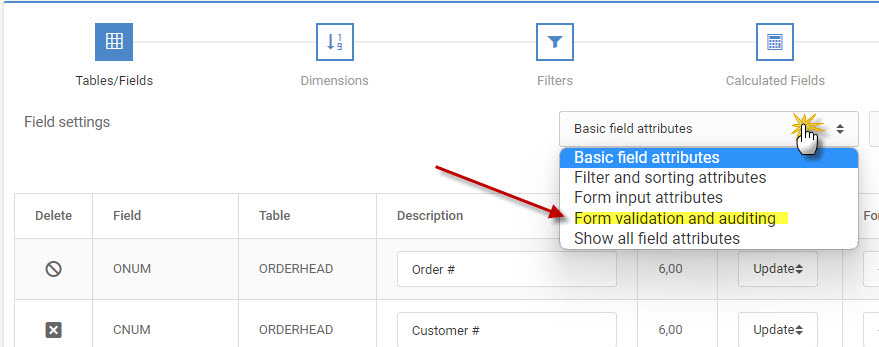
Edit your application and within the data model navigate to your Field Settings screen. Here, change the “Basic field attributes” dropdown to “Form validation and auditing”.
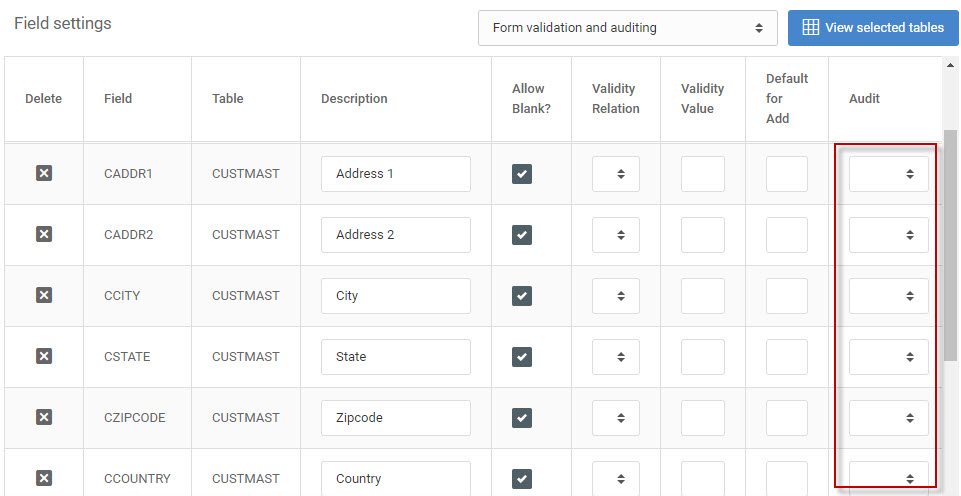
In the Audit column that appears is a selectable drop-down that will only appear for any non-numeric fields. Selecting a value from this drop-down will have your application automatically insert a date, user, time, or application number (ex. ‘M00001’) for when the record is submitted or updated.
The drop-down options are as follows:
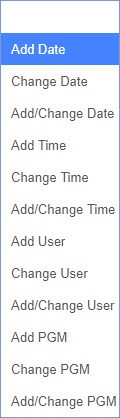
‘Add (Date/Time/User/PGM)’ will audit when a new record is submitted
‘Change (Date/Time/User/PGM)’ will audit when an existing record is updated.
‘Add/Change (Date/Time/User/PGM)’ will perform both of the above.
Runtime
Any fields that are have an audit option applied will be automatically hidden from the maintainer form at run-time when viewing a record in add, update, or delete mode. However when the form is submitted, the application will write the audit columns appropriately.