
After you have implemented Sign on Security (see here), you may want to control who can see which records. For instance, if I have an order history table for five customers, each customer should only be able to see their own records. Rather than making five separate applications, we can create one and implement security on it.
Of course, in all cases we can utilize Row Level Security (learn more about this here), however if the user’s USERNAME (or Session ID) is listed in the table, we can utilize a feature of our servlets called “Secure By”. When active, the User Name field (specified by being the first key field within your application), is compared in the SQL statement to your login. Only matching records will be shown.
Implementation
- The first field listed in Field Settings must be the UserName or Session ID field.
- You must be utilizing the mrc built in Sign-on logic (mrcSignon2).
- You must activate the Secure By Feature. To do this, please see the following information:
- Compile your application as you normally would (making sure to first sequence by the USERNAME field).
- Next, click “Edit Properties”, and click the “SQL Statement” tab.
- Then, find the “Secure Application by” option, and choose “User Name”.
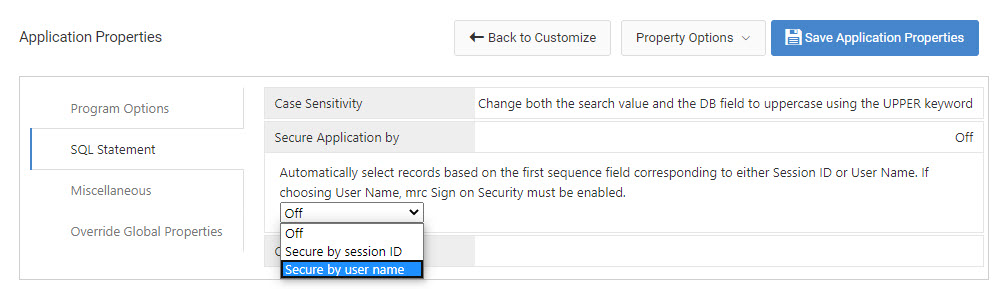
- Click Save.
Visual Example
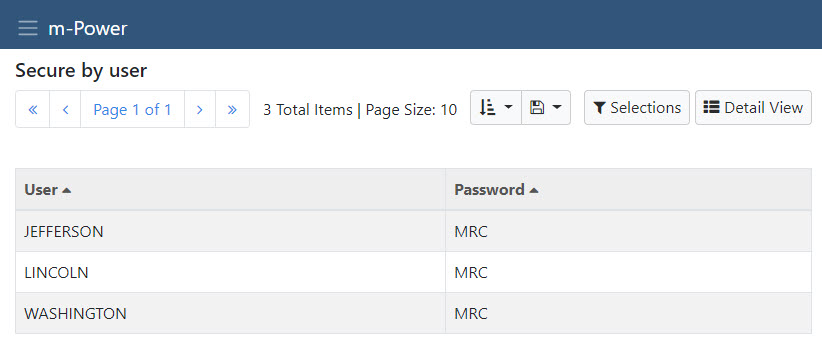
Here is a screenshot before Secure By security was implemented:
And here is the after shot:
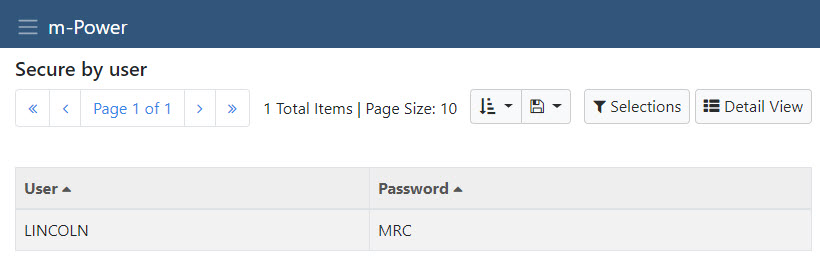
Since I logged on as Lincoln, I can only see “LINCOLN” records. Further, if I turn on debug, you can see the SQL statement that was generated:
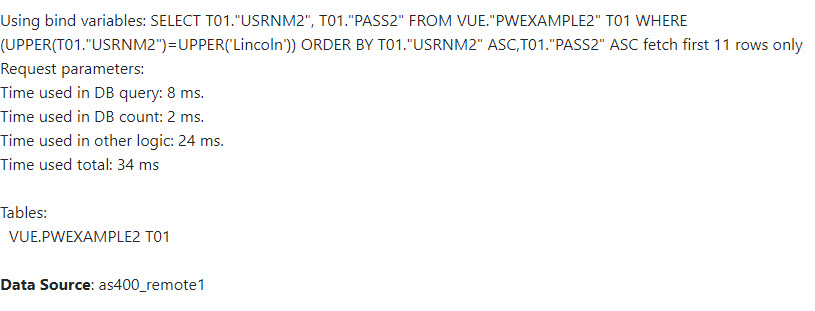
The WHERE T01."USER"='LINCOLN' was added because the Secure By function was implemented.
Note: The end user has no way to modify this SQL statement.
Other Notes
- The same functionality is available for Session IDs. A session ID is a 40 character field given from your browser that serves as a unique identifier and can be very useful when tracking users between multiple screens.
- Secure By is case sensitive. If I login lowercase, but the data is uppercase, it will not find any matches. The recommended solution in this case is to either utilize JavaScript on your Sign on page or utilize Row Level Security.
- In my example my USERNAME field happened to be “USER”. In your applications, the field can be any name so long as it is the first key field.