
Overview
Total-level /Margin calculations are a must for developers who wish to perform calculations like averages or percentages at any subtotal level(s) and/or grand total level of their report applications.
For instance, let’s say that we would like to pull up a list of customer sales made in a report. Looking at the sales and cost values, I’d want to calculation to find the average profit for each customer. This documentation will walkthrough this example and explain how to utilize Total-level/Margin calculations.
Option 1: Calculation Based Approach
Supported Templates
Total-level/Margin calculations are accessible in all report templates:
- Regular Report
- Interactive Report
- OLAP Pivot Table Report
- Report Designer
- Cross Tab Report
- Ranking Report
Walkthrough
Report Example/Scenario
I have a sales report that shows the sales and costs of good sold by customer.
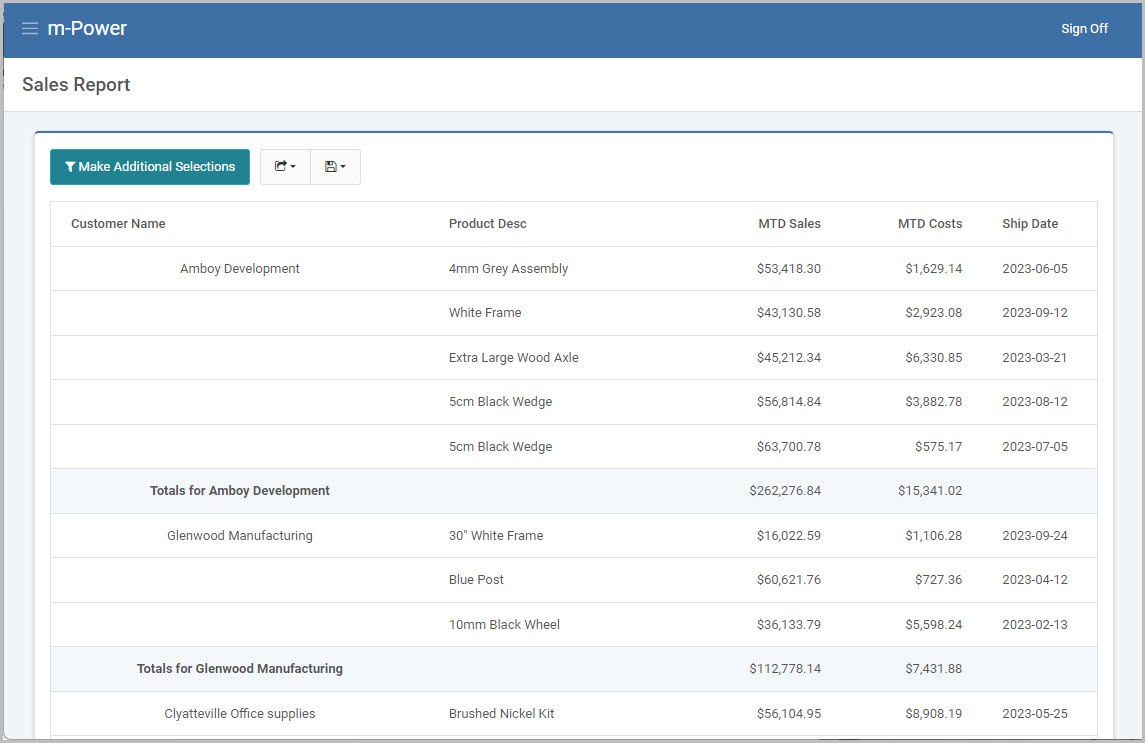
Using Figure 1 as a reference, I want to calculate the average profit per sale for customer, which would be the MTD Sales – MTD Cost, divided by the total number of sales made for that customer.
Using Amboy Development as an example, this value should roughly compute to $49,387.
$49,387 = ( $262,276 - $15,341 ) / 5.
The 5 represents five different sales made for that customer (Amboy Development). If looking at Glenwood Manufacturing, this would be 3:
$35,115 = ( $112,778 - $7,431 ) / 3
Creating the Calculations
Back in the data model of the application is where these calculations will be created.
1. Sale Counter calculation (Database)
First, I’ll create a counter calculation to get the total count of sales for each customer. This will be a numeric Database type calculation:
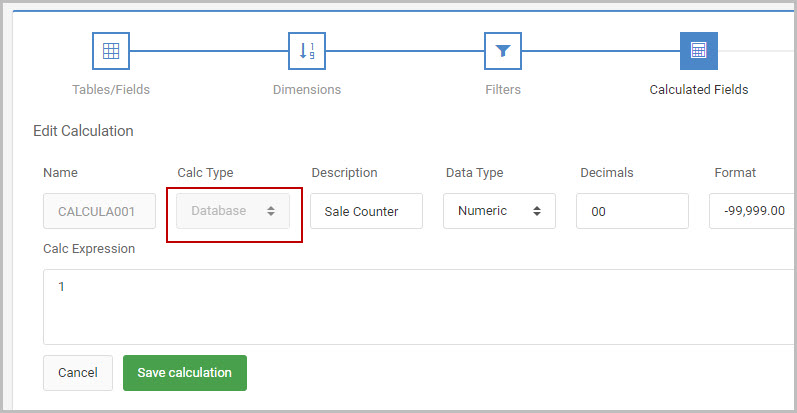
The expression of this calculation is just 1. At runtime, m-Power puts a 1 on each detail record, which will then be automatically totaled up on subtotal line for each detail record found. (see Figure 6 further in the documentation for a visual reference).
2. Average Profit per Sale calculation (Total-level/Margin)
A second calculation, a Total-level/Margin calculation is needed here as the average needs to be computed on a subtotal lines of the report, rather than at the detail lines.
Make sure the calculation type is set to Total-level/Margin as shown Figure 3:
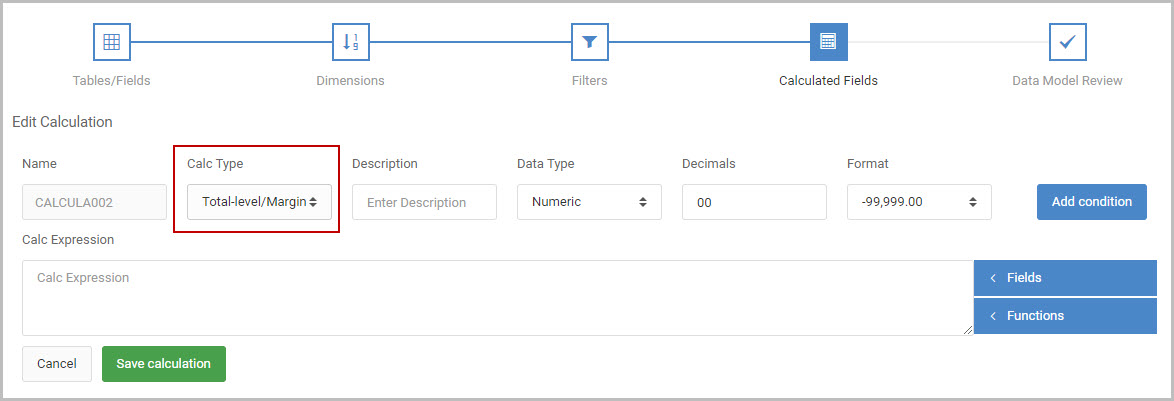
To create this second calculation, I select my fields from the blue “Fields” dropdown selection on the right of the calculation expression body. After manually wrapping my subtraction in parentheses, my calculation expression is:
(&MTDSALES - &MTDCOST) / &CALCULA001
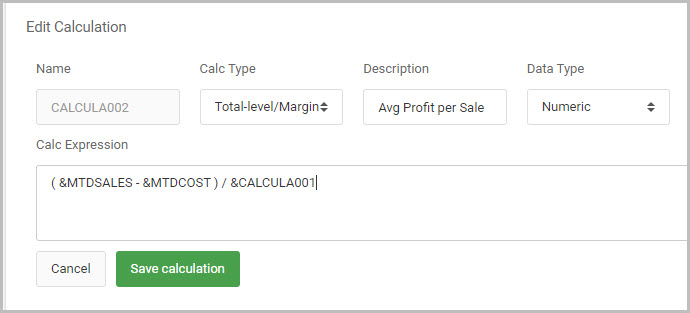
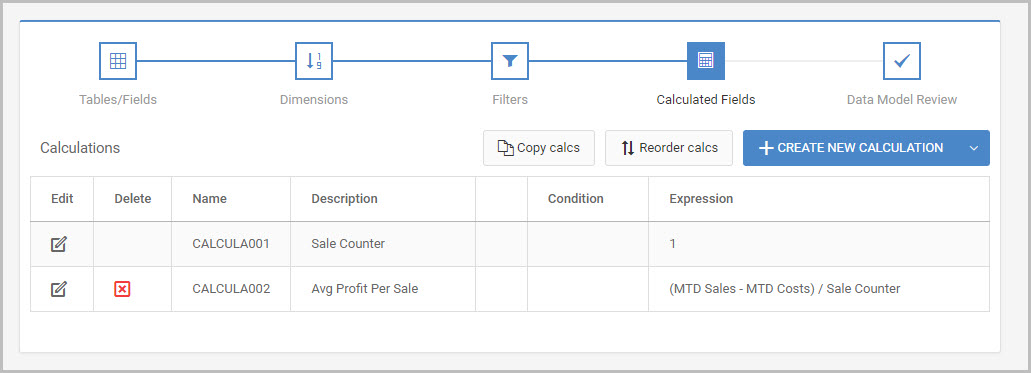
Once finished I now have two calculations.
Note about calculation setup (Optional)
It’s worthy to note that my example, as shown in Figure 5, uses a total of two calculations:
| # | Description | Expression | Type |
| CALCULA001 | Sale Counter | 1 | Database |
| CALCULA002 | Avg Profit Per Sale | (MTD Sales - MTD Costs)/CALCULA001 | Total-level |
If you prefer to compute the subtraction in one calculation, then do the division in another calculation, that is also fine. Meaning this alternative setup, with a total of three calculations, will produce the same outcome:
| # | Description | Expression | Type |
| CALCULA001 | Sale Counter | 1 | Database |
| CALCULA002 | Profit | MTD Sales - MTD Costs | Database |
| CALCULA003 | Avg Profit Per Sale | CALCULA002/CALCULA001 | Total-level |
3. Runtime
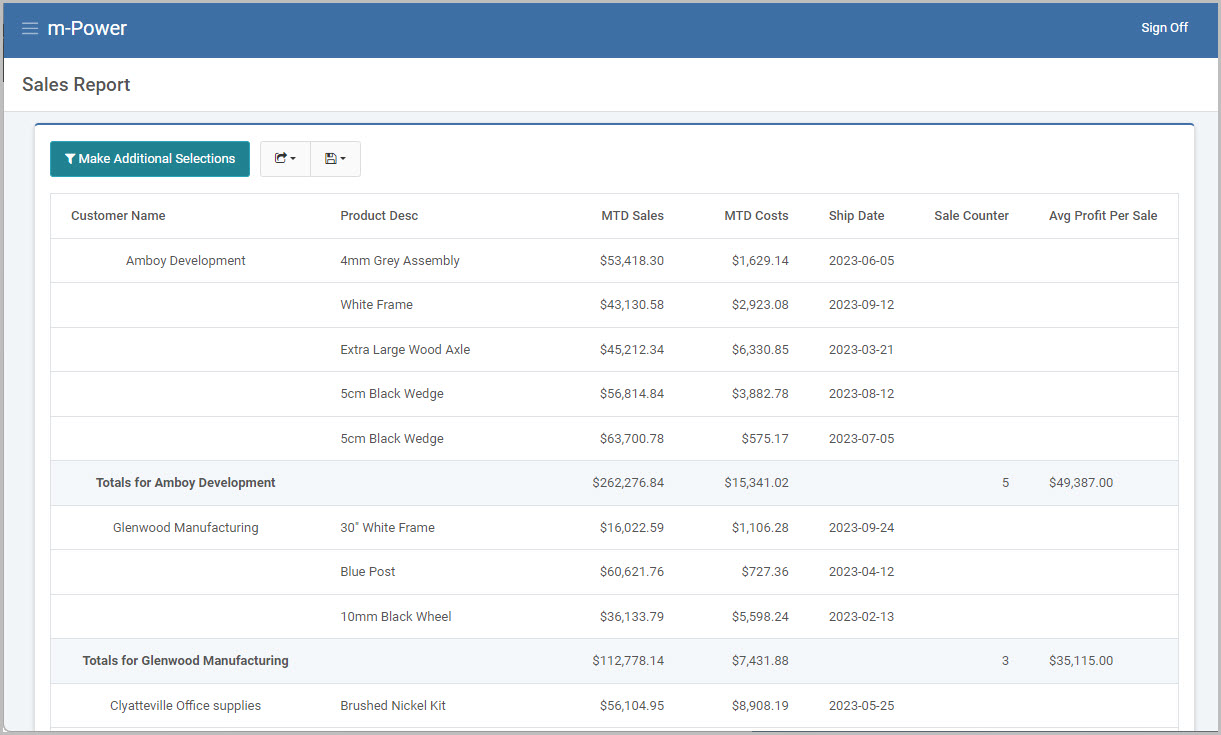
After rebuilding the report, now my two new calculations appear at the very right-hand side of the screen, with the correct Avg. Profit Per Sale value.
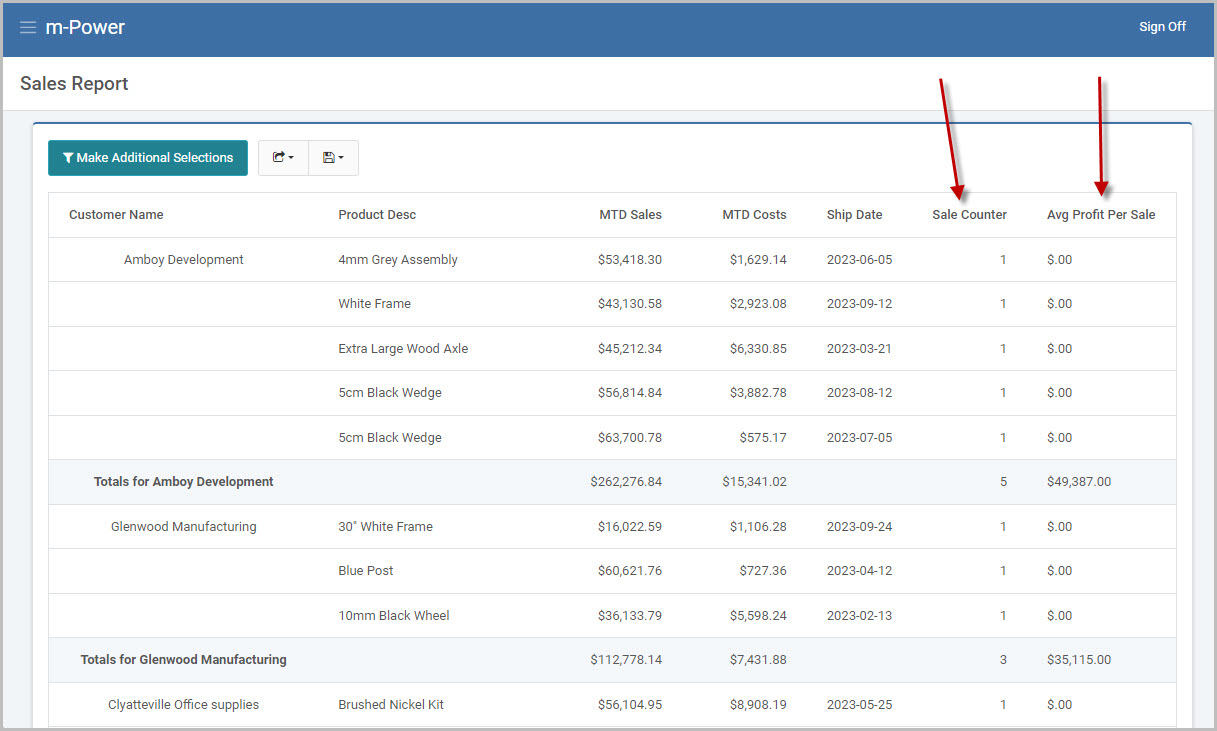
Because the Avg Profit Per Sale calculation is a Total-Level/Margin calculation, notice in Figure 6 this calc’s arithmetic is only performed on the total lines of the report. On the detail lines, a 0 value ($.00) is present, by default.
As this 0 value is not necessary to see, I can remove it from detail lines of the report in the m-Painter editor.
4. Removing the calculations from the detail level (optional)
Within the m-Painter editor, any total-level/margin value on the detail level of the report can be removed by selecting that field (ex.{CALCULA002}) and pressing the delete option:
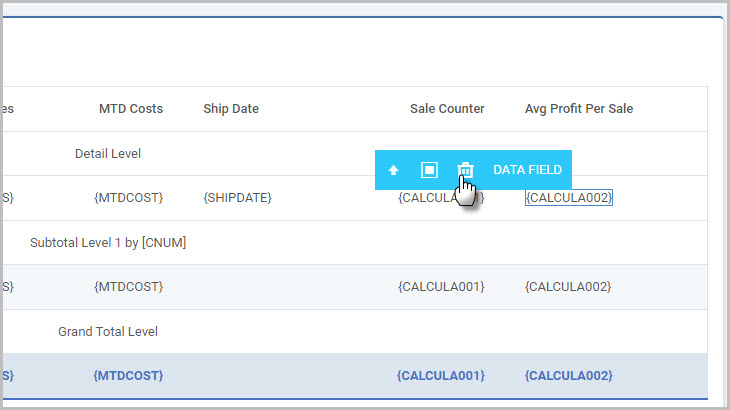
The same can be done with the Sale Counter (ex.{CALCULA001}) as it’s also not necessary to print a 1 on each detail row.
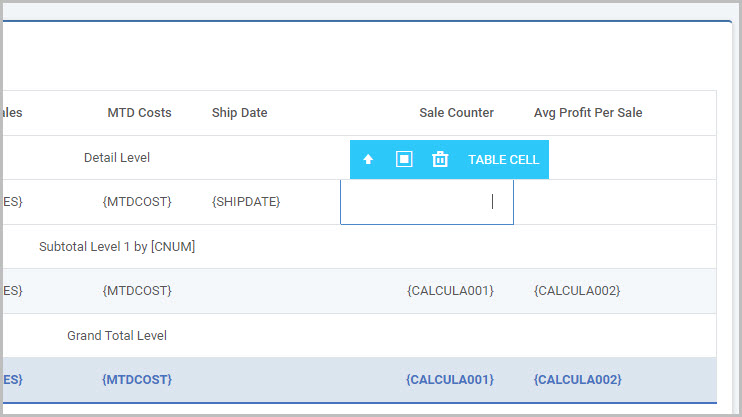
Once removed and m-Painter is saved, the updated result will look like this at runtime:
Option 2: m-Painter Based Approach
If you prefer to add your total level calculation via m-Painter for your report, you may select “Total Calc” from the Featured Component menu in m-Painter.

First, select where in your report output you want this runtime calculation to be placed, then click the Total Calc button.

Specify a length, decimal, and edit code along the top. Then use the “Field” and “Level” options to select which specific fields to add to your equation. Once you have made your selection, click the “Add Field to calculation” button. Add your own operators to the “Calc Expression.” When done, click the “Finish” button.