
Customize Error Messages in your Web Applications
Many developers want flexibility. Appropriately, they deserve it! One way to get flexibility within your m-Power applications is to customize your error messages. While m-Power generates generic terms such as “Invalid User” or “This record already exists” automatically, you can override these messages to something much more appropriate for your web application. For instance, if you are creating a Shopping Cart, you would most likely prefer a message that encourages users to add items to an empty shopping cart in lieu of a “This record does not exist” message.
There are two ways to add customized error messages: on an application level or for the entire Data Dictionary. Simply stated, you should choose the “per application” option if your error message only corresponds to a few applications. For convenience’s sake, both methods will be explained:
Per Application Method
If you decide that your Custom Error Message would only apply to a few applications (rather than every application in your Data Dictionary), you should choose this method. Build and compile your application as you normally would. Next, click the “Edit Properties” button for your application.
In the App Property window, click the “Override Global Properties” tab:

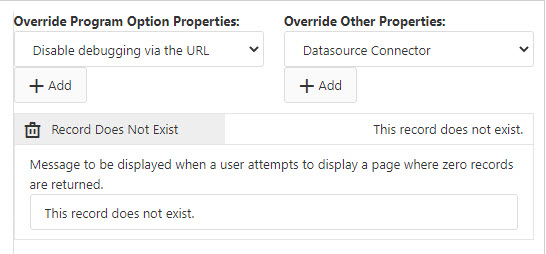
From the “Override Other Properties” drop-down, select the Default Error Message you wish to customize (in this example, we will customize the “Record Does Not Exist” message). Click the “Add” button:
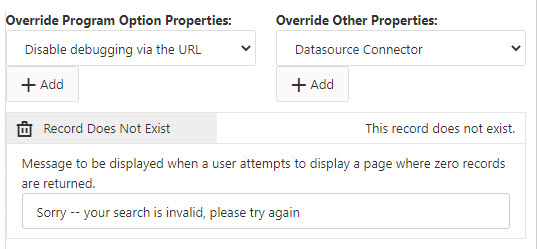
Modify the “Value” section to whatever you would like your message to say at Runtime in place of the default message. Here we will program it to say: “Sorry — your search is invalid, please try again.”
Click “Save Application Properties” to save.
When I re-run my application, here is my output when the default “Record does not Exist” message should appear:

Per Data Dictionary Method
If you decide that your custom error messages could apply to all applications within your Data Dictionary, choose this method.
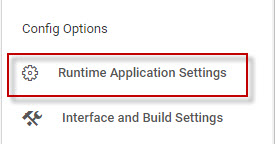
Open the Admin Slider –> Dictionary Configuration –> Runtime Application Settings.
Click the “Others” tab to customize messages.
Note: You can also change default images from this tab (such as back & next buttons for Multiple Row Data List and Data List with Web Form Templates).
Note: You can also change Maintainer Messages by clicking the “Maintainer Message” tab.

Change the “Value” for the appropriate Error Message name. When completed, click the “Save Runtime Properties” button.
Note: When necessary, changes made at the Application Level supersede changes made at the Data Dictionary Level.