
Overview
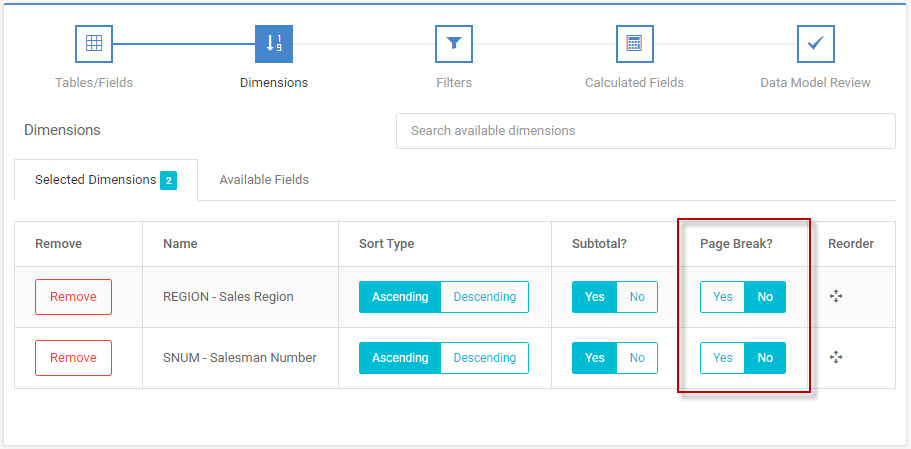
m-Power’s Page Break feature allows specifying page breaks when a dimension key changes. This option can be changed under the “Dimensions” screen within “Data Model”. At run time, every time the dimension key changes, a new page will be printed.
In this case, let’s assume we would like to print a report of all of our salesman, sorting on the Salesman Number. However, we would like all of our salesman to be grouped by state and each state printed on a different page.
Be sure to click ‘Yes’ on “Page Break?” for the field on which you wish to page break.
At run time, my output will look like this:
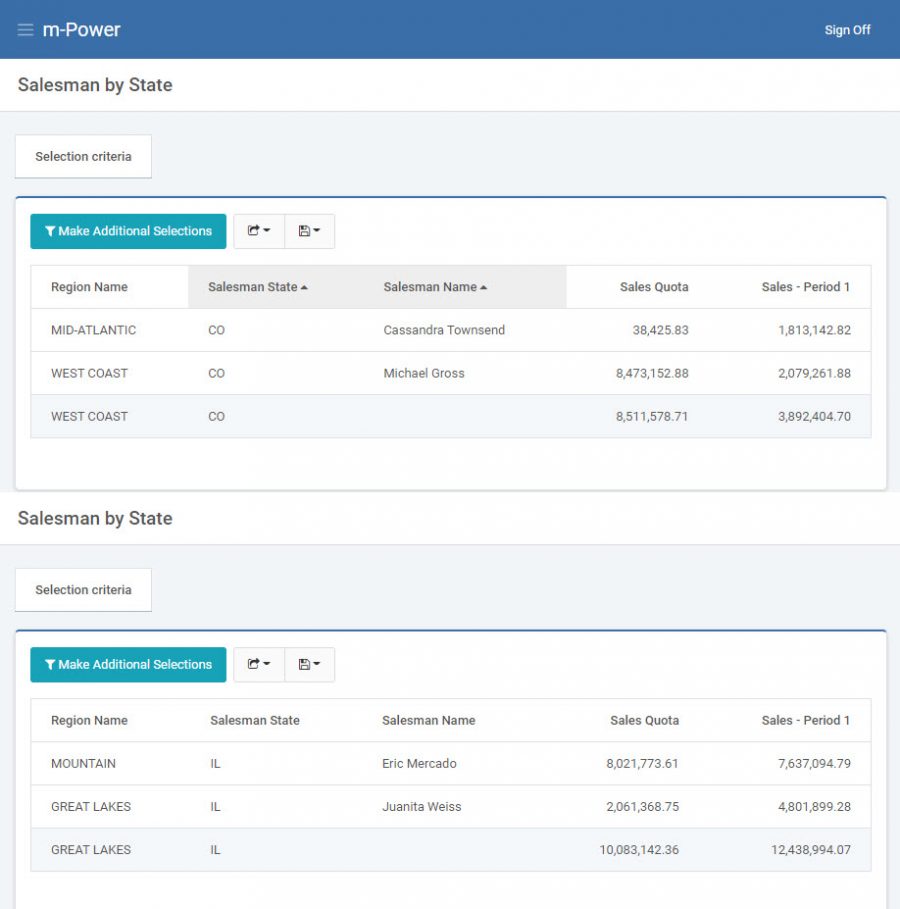
Notice how Cassandra Townsend and Michael Gross of Colorado are on a separate page from all of the Illinois salespeople.
While m-Power places all of the data adjacent to each other on screen without any spaces, this is not an accurate representation of the data as it will appear when it is printed on a page. When you select “Print” your browser will know to send each subsection to the printer as its own page.