
Build Custom Web Reports Over Your Live Data
Deliver the reports the business keeps asking for, in real time, over your live database. Control who sees which rows, set up reports to run on a schedule, all without per-user seats to buy.

Get Real-Time Reports Without Per-User BI Fees
The report queue never gets shorter. So when you fix it, you want it fixed right: Can people get reports without waiting on IT? Is the data live, or another overnight extract? Can we control who sees which numbers? And what does it cost once everyone needs a login? m-Power answers each one: It builds custom web reports over your live data, with row-level security built in and no per-user BI seats. Build them internally with m-Power, or have our consultants build them for you.
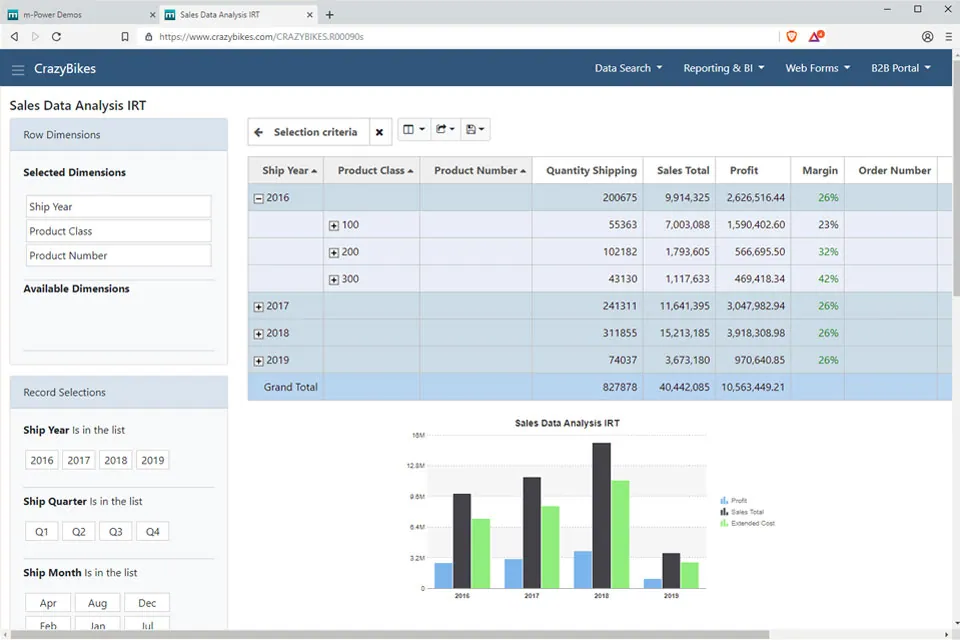
Live data, straight from your database
Every report reads straight from your database, so the numbers are current the moment someone opens them.
- Real-time, straight from the source
- Join data across multiple systems
- No overnight extract jobs to maintain
Row-level security by role
Each person sees only the rows and columns they should. Set it once and it applies everywhere the report goes.
Every report type in one platform
Financial statements, ad hoc reports, pivot tables, and drill-downs all come from the same tool over the same data.
Deliver it the way people want it
Push reports to the browser, a portal, or an inbox on a schedule, or let users export to Excel and PDF.
No per-user BI seats
Perpetual license, no per-user fees. Roll reporting out to the whole company without counting seats.
Self-service without losing control
Let users build and run their own reports while IT still governs what data each role can reach.
- Users build their own reports
- IT controls data and access
- Users only reach governed datasets
What Can You Build?
Start with one report, then keep going. Whether your team builds with m-Power or our consultants build for you, here's what you can deliver:
Build a Web Report Over Your Database
This walkthrough builds a web-based report over a database with m-Power's report designer, from picking the data to delivering an interactive report in the browser. It's the whole process, start to finish, in a few minutes.
- Point at your data, no hand-coded SQL required
- Add sorting, filtering, and drill-down
- Deliver it live in the browser
Then Turn Reports Into Dashboards and Portals
Once the data is flowing, the same platform rolls reports up into dashboards, puts them in a secure reporting portal, and pushes them out on a schedule. One license, unlimited reports and users.
- Executive and operational dashboards
- Secure reporting portals by role
- Scheduled delivery to inboxes
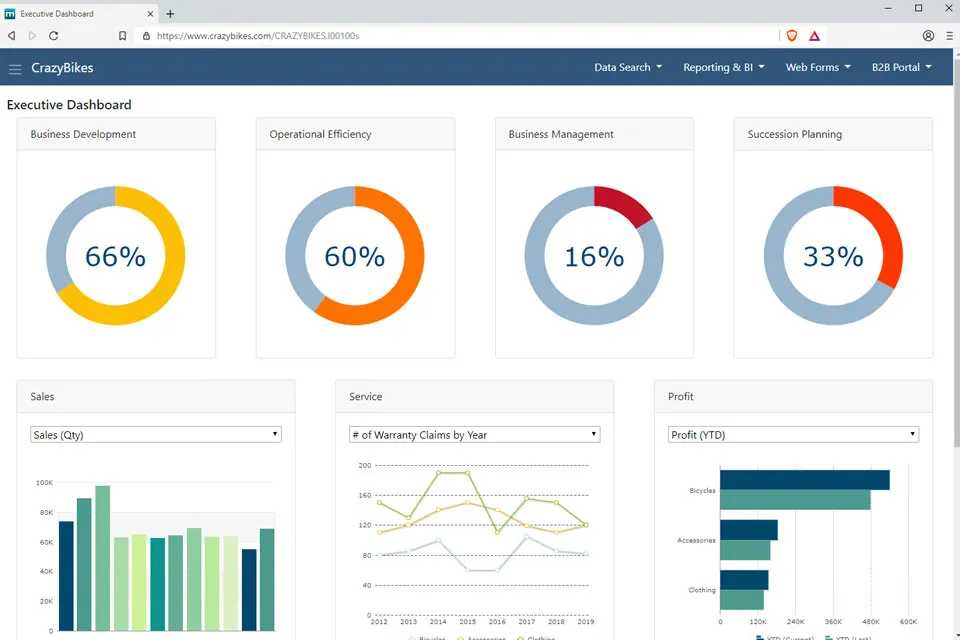
Reports Teams Build With m-Power
A few of the most common reports and reporting apps teams deliver. Build these yourself, or have our consultants build them for you:
Financial reports
P&L statements, balance sheets, and cash flow apps over your live data.
Ad hoc reports
Let users choose their own criteria and build reports on the fly.
Reporting portals
Give each role a secure home for the reports they're allowed to see.
Scheduled delivery
Email the right report to the right people on the schedule you set.
Drill-down reports
Start at the summary and drill into the detail behind every number.
Row-secured reports
The same report shows each user only the rows their role allows.
Excel and PDF export
Let users take any report to Excel or PDF in a click.
Web pivot tables
Interactive pivot tables that let users slice the data from every angle.
Set up a demo and we'll build a report over your data, live.
Get a DemoLive Reporting Demos
Try these live reports that were built with m-Power.
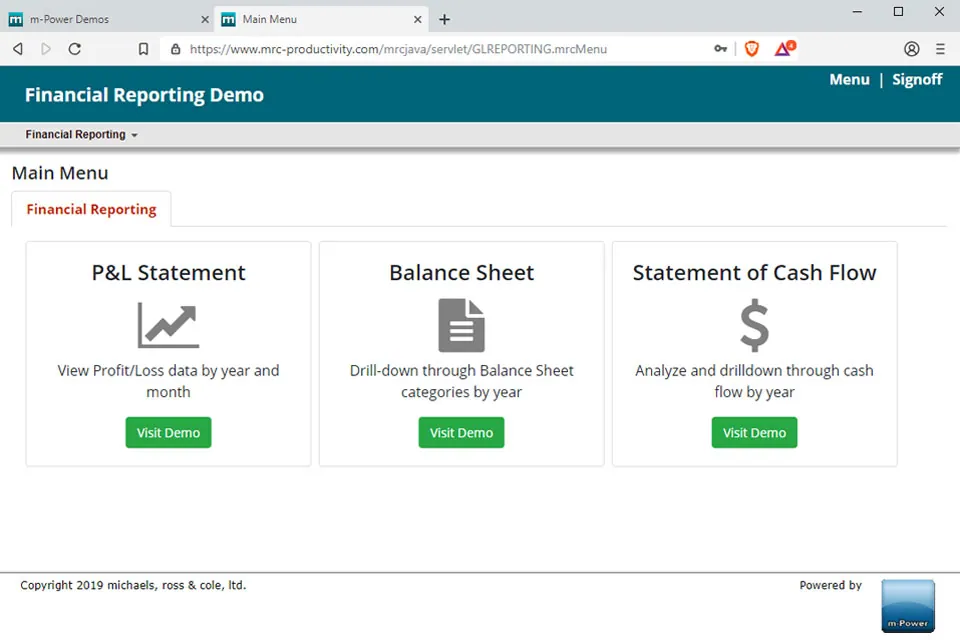
Financial Reporting
A Profit & Loss statement, balance sheet, and cash flow app, all over the same live data.
Interactive Report
Shows as much or as little data as the user wants, and lets them analyze it however they like.
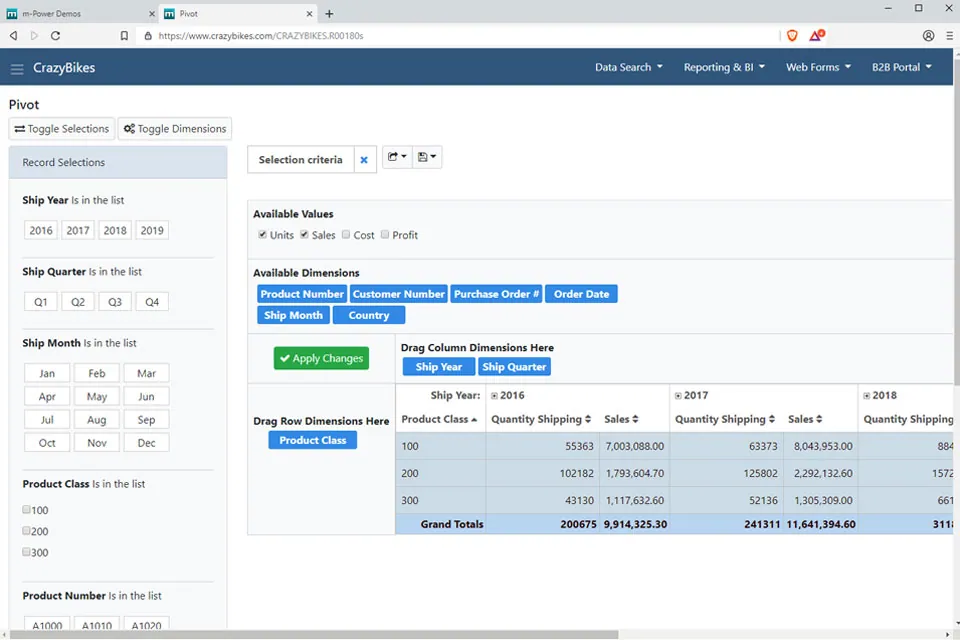
Web Pivot Table
A powerful interactive report that lets users view the data from multiple perspectives.
Reporting Security Built for IT
Run every report on the same security model as the rest of your applications.
Row-level permissions
Control which users see which rows and columns in a report.
Role-based access
Lock down report and data access per user role.
Use your authentication
Integrate with Active Directory, OAuth2, or SAML.
Audit trails
Full logging of user actions and logins.
Frequently asked questions
Don't see your question? Ask us. You'll talk to a real person who actually cares whether this works for you.
Send us a noteWhat kind of reporting can m-Power do?
Is the data live or a nightly extract?
Which databases does it report over?
Can end users build their own reports?
How do we control who sees which numbers?
Can reports be scheduled or exported?
Can our team build this, or do you build it?
What will it cost to give everyone reports?
Last updated: July 2026
See a report built over your data
We'll walk through the build process live, using your data and your use case, and answer any questions your team has.