
One feature of Maintainers is to allow the uploading of files from your client machine to the server. This feature is unique in the fact that it will also add a record to the database, as well as upload the specific file to the server.
Getting Started
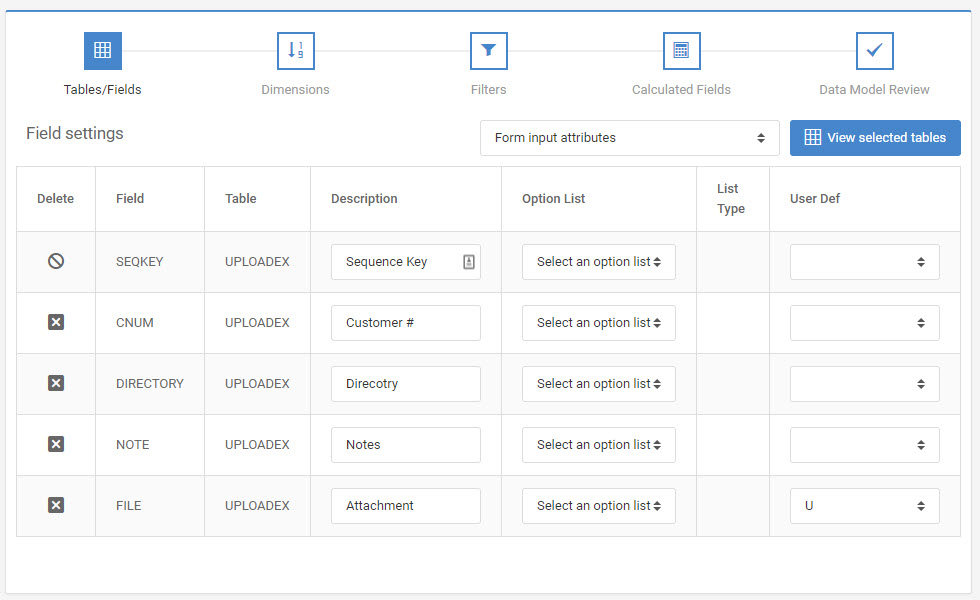
To begin, create a maintenance application as you normally would. In “Field Settings”, change the dropdown box from “Basic field attributes” to “Form input attributes.”
Find the field that will serve as the File Name for the uploaded file. In the “User Def” column, select the “U”. This will tell m-Power to create an upload button next to this field and when the record is written to the table, write the File Name to this field.
App Properties
Before running the application, let’s look at the application properties for this program. After you scroll to the bottom, you will see these three options:
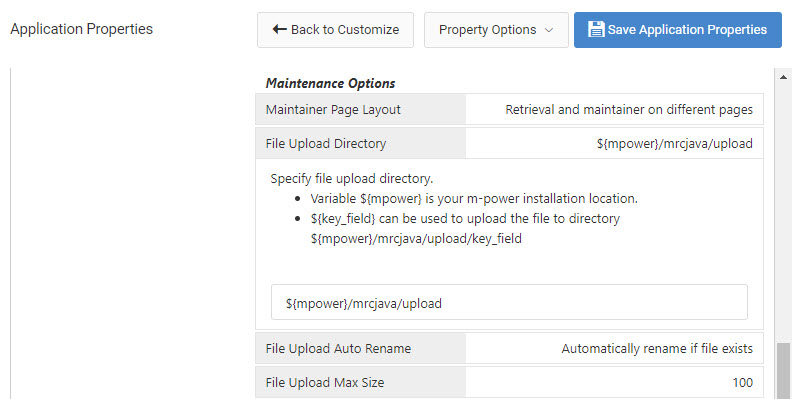
File Upload Directory — The location on the m-Power server where this file will be uploaded. If the folder does not exist, it will be created.
File Upload Max Size — The maximum size, in megabytes, that a file can be in order to be uploaded. If a file is too large, the user will see an error at runtime that they must pick a smaller file.
File Upload Auto Rename — Allows you to control the behavior when a file of the same name already exists in the upload directory. You can either choose to have m-Power auto-rename the file (so file.txt would become file(1).txt) or you can automatically overwrite the existing file.
Make any necessary changes and click “OK”.
Runtime Usage
When I run my application, I see something like this:
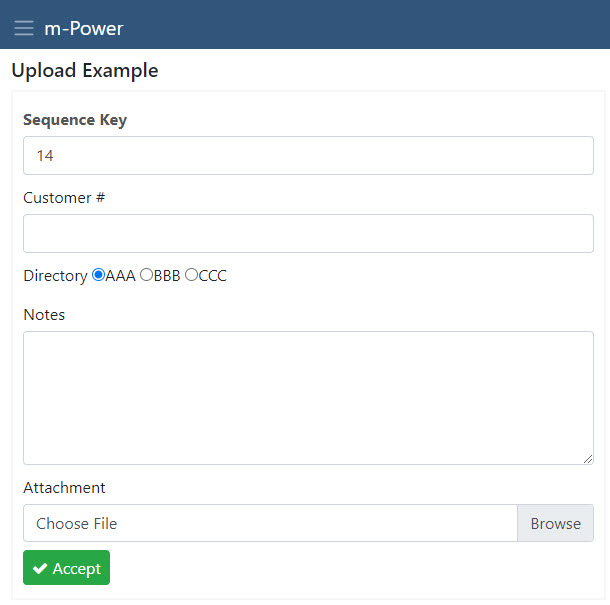
Notice the “Browse” button in the Attachment input. Clicking on “Browse” brings up a view of my local machine. After I select a file, the location will be inserted.
Error Checking
Below is a list of the common error checking that m-Power will do to ensure that the proper information is being uploaded:
If the file name is too long, this error is displayed:
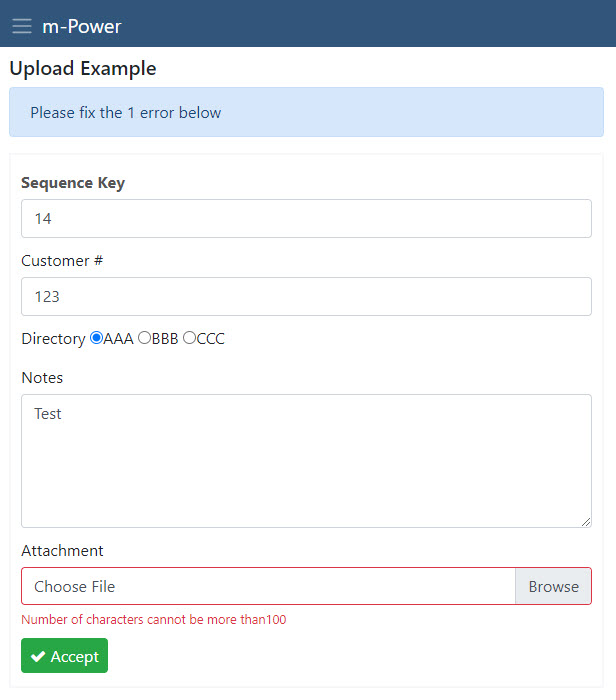
If a file exceeds the maximum size, this error is displayed:
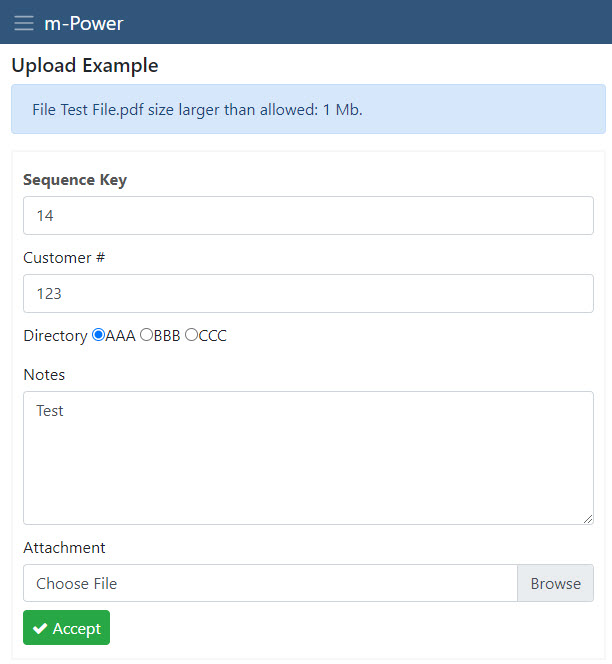
Editor’s Note: The Maximum Size was changed in this example for practicality purposes. The default size is 100 MB.
Downloading files from the server
By default, the upload feature will not automatically include the ability to view or download any uploaded files. However, a developer may use m-Painter’s smartlink functionality to add a hyperlink to their uploaded file, thus allowing the user to view the uploaded view.
For how to do this, please see here.
Secure File Upload/Download
The above setup is the default method of uploading a file through an m-Power maintainer. Using the above method, the uploaded file is potentially available to anyone who knows the full URL of the file’s location. If there is a need to keep files secure behind m-Power/Tomcat security, please follow the below instructions.
Configuration
The required setup is similar for the maintainer to upload a file:
- Set the upload field to ‘U’ in the Field Settings -> Form Input Attributes.
- Set the App Property -> File Upload Directory to a valid directory. The secured directory of your choosing must be outside of the /mrcjava context. For example:
C:\SecureUploadis a valid directory.
Secure File Download
To download a secure file, users will still click a link to access and download the file to their local PC. However, with this setup the browser will no longer display the file’s location via the URL. Instead, a developer will assign an “output queue” from the m-Power Interface Messaging and Scheduled Task module to “hide” the location to the runtime users.
Output Queue Setup
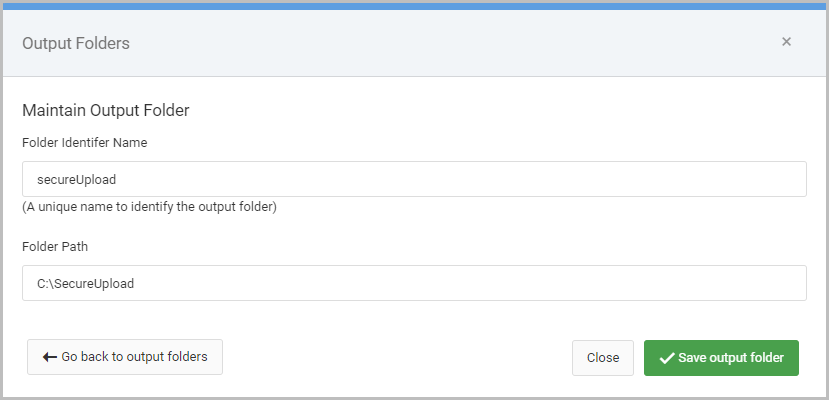
- Go to Admin -> Messaging and Scheduled Tasks -> Output Folders.
- Click “Add Output Folder”.
- Specify a folder name and specify the location of the secured directory as set in the maintainer’s app properties (e.g.
C:\SecureUpload).
Download Link Setup
m-Power Developers will build the link to access the secure file in m-Painter. Highlight the upload file fieldname in m-Painter -> Right-click -> Insert/Edit link. Use the syntax below to construct the appropriate link URL:
DATADICTIONARY.M12345s?downloadbinary=1&filefield=SFILENAME&queue=SecureUp
load&slnk=1&KEYFIELD=${row.KEYFIELD?url}&FIELD=${row.FIELD?url}
See the explanation of the URL parameters below:
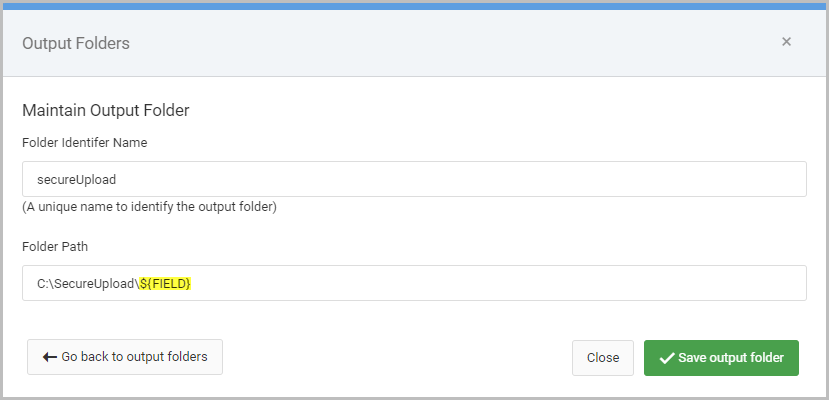
DATADICTIONARY.M12345s: This is the maintainer application (or it can be another app secured against Row Level Security. See below for steps on implementing Row Level Security). Replace these values with your appropriate dictionary and application number.downloadbinary=1: Specifies the secure file logic should be called to return a file, not call an application.filefield=SFFILENAME: Tells m-Power what field to look at to find the name of the file to download. Please replace SFFILENAME with your actual field.queue=SecureUpload: Tells m-Power to get the file from the secure location created in the Messaging and Scheduled Tasks Output folder. Replace SecureUpload with whatever Folder Identifier Name was chosen in the Output Queue Setup section.slnk=1: Tells m-Power to only grab data based on the the key passed.KEYFIELD=${row.KEYFIELD?url}– Tells m-Power, just like in a normal maintainer app, to only work with a given record. Please replace KEY with the actual key of your app. If you have more than one, please pass all as separate parameters (i.e.KEYFIELD1=${row.KEYFIELD1?url}&KEYFIELD2=${row.KEYFIELD?url}).FIELD=${row.FIELD?url}– Optional. Only required if using a field name within the Output Folder path, as shown in Figure 7.
Secure File Row Level Security
An added benefit of securing these files behind m-Power security is the ability to also introduce Row Level Security as an additional security level. This will allow a developer to control individual user access to a file based on the key(s) of the record containing the uploaded file name.
Two applications will be needed for this setup:
- Row Level Security retrieval will be needed to serve as the security agent controlling user access to the record. Follow the documentation steps to secure against the key value(s).
- Single Row Retrieval to serve as the application to hold the row level security agent. This is the application that will be used in the download link created above instead of the maintainer.
When the download link is clicked by an end user, the parent application will pass the key(s) to the retrieval from step 2. Row level security will be invoked to determine if the user should have access to the record and in turn, the secured file. If row level security allows the user to access the record, the secure file will be downloaded to the user’s local PC. If the user does not have access to the record, the file will not download.