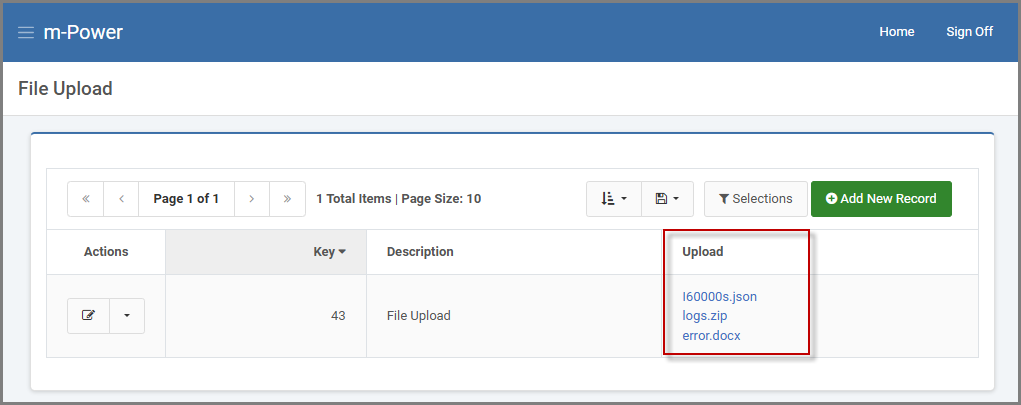
Once files are uploaded via a maintainer application, they may be viewed (downloaded) by the end-user. This functionality will need to be added into the application presentation via m-Painter. A developer will create a smartlink that loops through the available files for the record in question.
Steps
The following example shows how to paint a download link into the data list page of a Data List with Web Form maintainer template. Feel free to utilize a different m-Power application template, as the concepts are exactly the same regardless of the template.
1. In m-Painter, select the TABLE CELL element where the upload filename resides. On the right-side element panel, click “Edit HTML”.
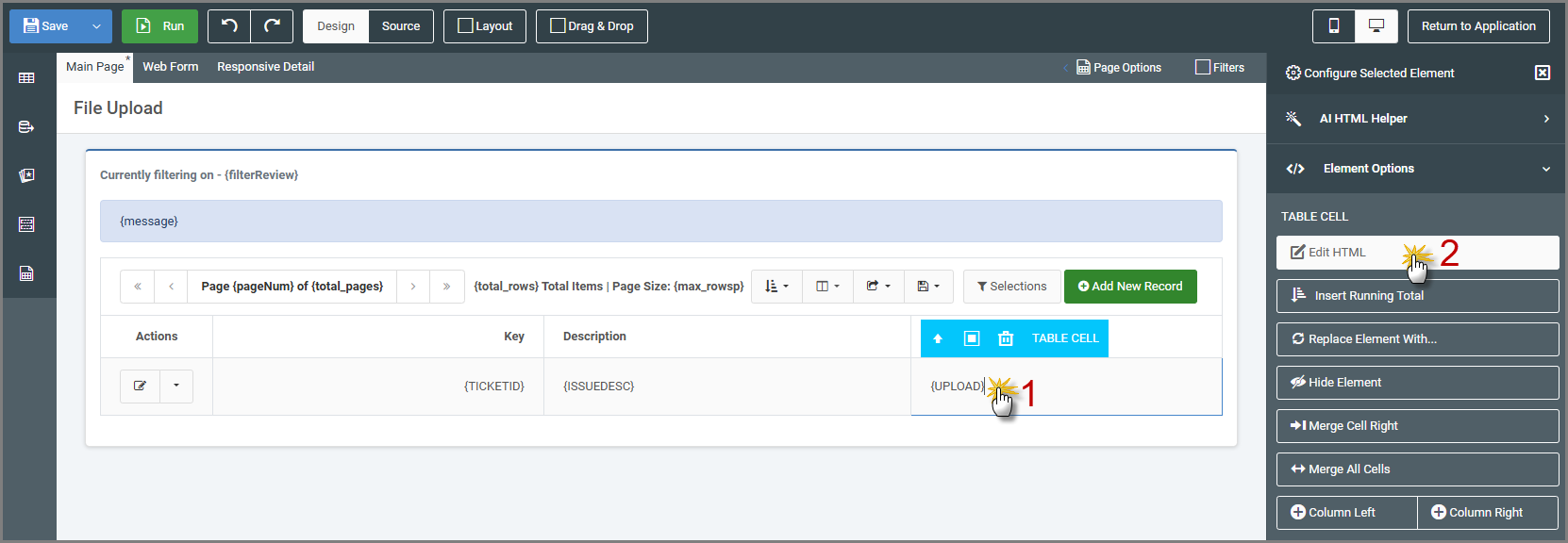
2. Replace the existing ${row.FIELD?html} HTML with the following:
 <div data-filelist="row.FIELD?html" class>
    <a href="/mrcjava/upload/${file}">${file}</a>
</div>- Replace
row.FIELD?htmlwith your actual field. - Replace
/mrcjava/upload/${file}with your actual upload path. - Do not change any reference of “${file}” as this is a reserved variable name specifically for the file upload logic.
3. Save m-Painter and run your application. The link created will download the file to the local machine.