
Build Real-Time Dashboards Every Team Can Use
Your teams shouldn't be working from a month-old spreadsheet. Put a live dashboard in front of every team, built over your own data in your environment. Embed them in the software you already use, and control what each role can see, with no per-user seats to buy.

Why Build Dashboards With m-Power?
Every dashboard project runs into the same questions: Is the data live, or last night's export? Who's allowed to see which numbers? Do you buy a seat for everyone who needs a look? Can it live inside the apps people already use? m-Power answers each one. It builds real-time dashboards over your own database, on the same security model as the rest of your applications. Build them internally with m-Power, or have our consultants build for you.
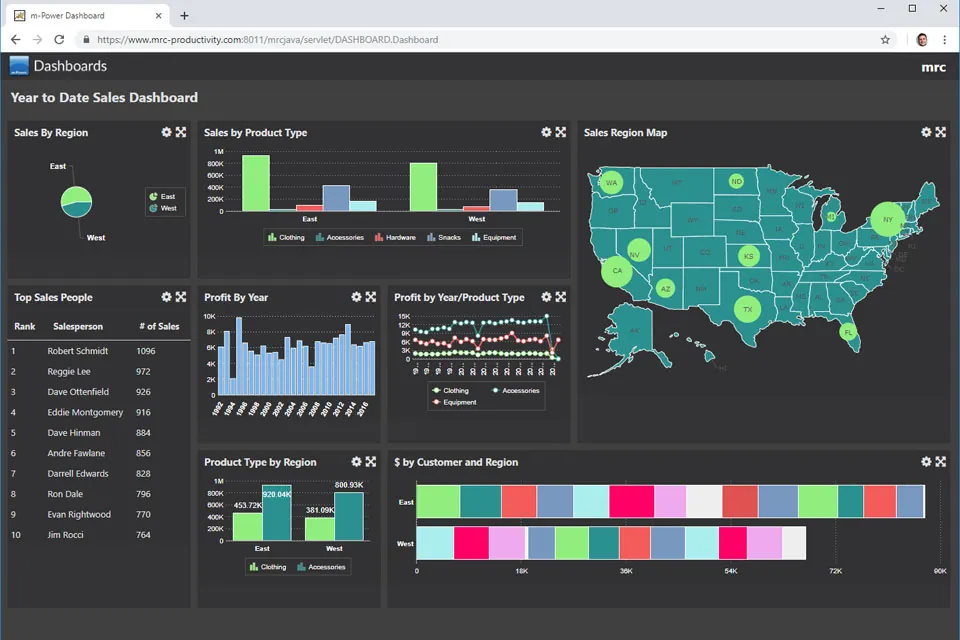
Control what each role sees
Row- and column-level security decides who sees which figures, so one dashboard can safely go to the whole company. It all runs on your existing sign-on (AD, SAML, OAuth2).
Live data, straight from your databases
Dashboards read straight from your databases, on-prem or in your cloud, so the numbers are current every time someone opens one.
Combine multiple systems into one view
Pull data from separate plants, databases, and apps into a single executive dashboard, the way Northwest Door tied 9 plants into one view.
Let users build their own
With user-defined dashboards, people add the widgets they want and save their own layout, without a new report request.
Embed them in your own software
Drop dashboards inside your existing software or a customer portal, or run them on their own.
Roll it out to everyone
Perpetual license, no per-user fees. Give every team and customer the dashboards they need.
What Can You Build?
Build over your existing database tables, on-premise or in the cloud. Whether your team builds with m-Power or our consultants build for you, here's what you can deliver:
Build a Custom Dashboard in Minutes
Point m-Power at your data and build a working dashboard the same day, with the charts, tables, and drill-downs your team needs. Watch the full build in the video.
- Real-time, operational, and executive views
- Drill from a KPI down to the record behind it
- Charts, gauges, and tables on one screen
One Executive View Across Multiple Systems
When the data lives in separate plants, databases, and apps, m-Power ties it together into a single executive dashboard, so leadership gets one consistent picture without merging exported spreadsheets.
- Combine multiple databases into one view
- Compare sites, regions, or periods side by side
- Roll detail up to a company-wide scorecard
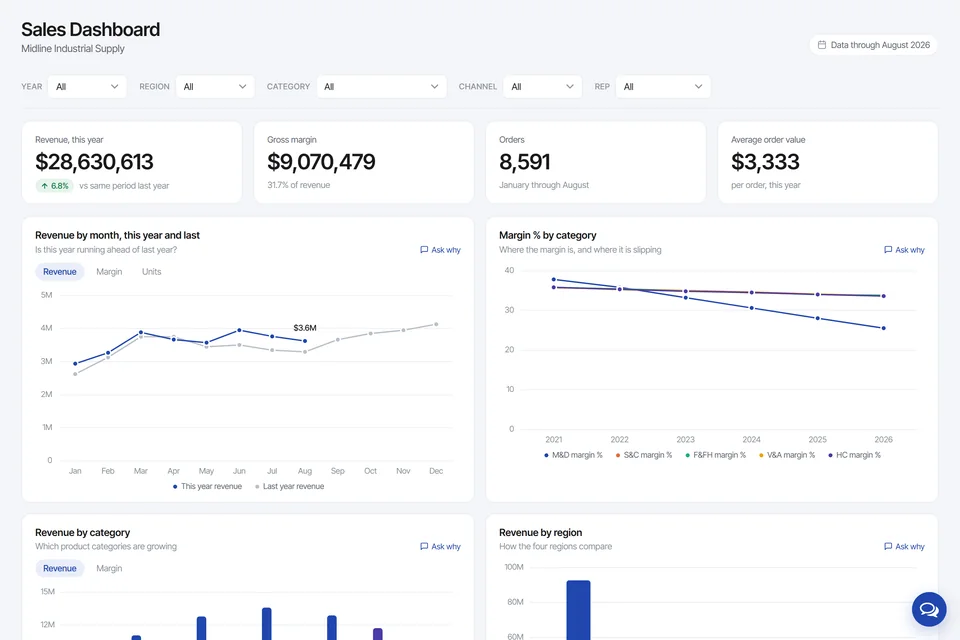
Dashboards Your Users Control Themselves
Give people a dashboard they can shape. With user-defined dashboards, each person picks the widgets and layout that fit their job, so IT isn't the bottleneck for every change.
- Add, remove, and rearrange widgets
- Save a personal layout per user
- Set the refresh rate that fits the data
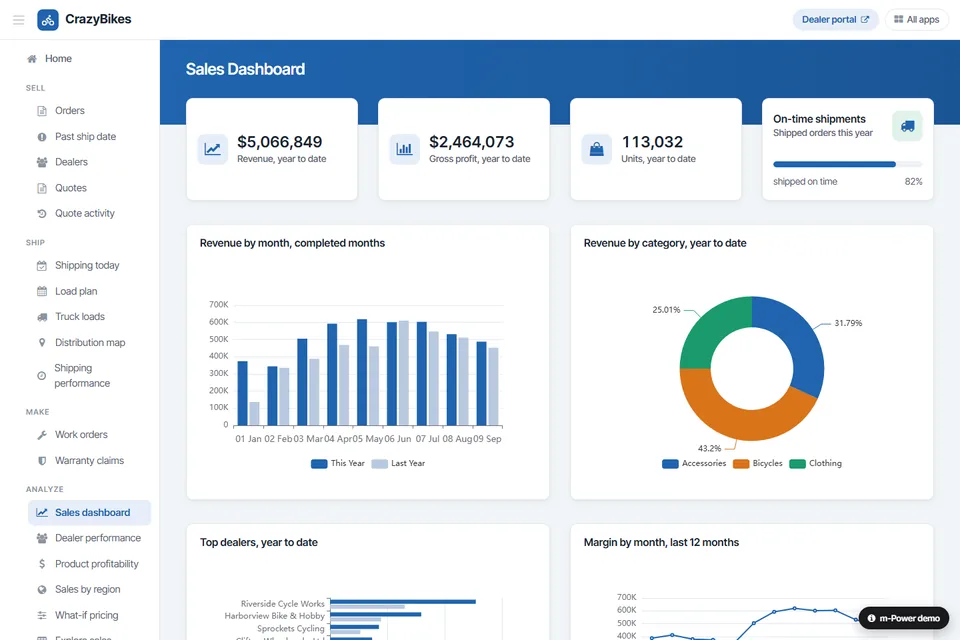
Dashboards Inside the Software You Already Use
A dashboard is most useful where people already work. Embed m-Power dashboards in your internal apps or a customer-facing portal, styled to match, so no one has to log into a separate tool.
- Embed in your internal apps
- Deploy to customers in a portal
- Match the look of the app around it
Use Cases
A few of the dashboards IT teams build with m-Power. Build these yourself, or have our consultants build them for you:
Executive dashboards
Company-wide KPIs in one view, tied back to the detail behind every number.
Operational dashboards
Live metrics for the floor, the warehouse, or the service desk, refreshed from your data.
Sales dashboards
Pipeline, quota, and performance by rep or region, without exporting to a spreadsheet.
Financial dashboards
Revenue, margin, and cash position over live data, secured to the right roles.
Inventory dashboards
Stock levels, reorder points, and movement across locations at a glance.
KPI scorecards
Track targets against actuals and flag the numbers that need attention.
Real-time monitoring
Watch orders, jobs, or throughput as they happen, with auto-refreshing views.
Mobile dashboards
The same dashboards on a phone or tablet, for managers who aren't at a desk.
Set up a demo and we'll build a dashboard over your data, live.
Get a DemoNorthwest Door Tied Nine Plants Into One Dashboard
With nine plants on nine separate databases, comparing performance was apples to oranges. Northwest Door used m-Power to pull it all together into one executive dashboard, with no prior web development experience on the team.
- Built an executive dashboard over 9 plants in 12 weeks
- Delivered a secure, web-based view with no web devs
- Gave leadership one clear picture of the business
Dashboard Demos
Try these live dashboards that were built with m-Power.
Sales Dashboard With an AI Analyst
Sales for a fictional distributor, filtered by region, category, channel and rep. Every chart has an "Ask why" link to an assistant reading the same tables.
User-Defined Dashboard
A dashboard individual users control and customize, adding the widgets and layout they want.
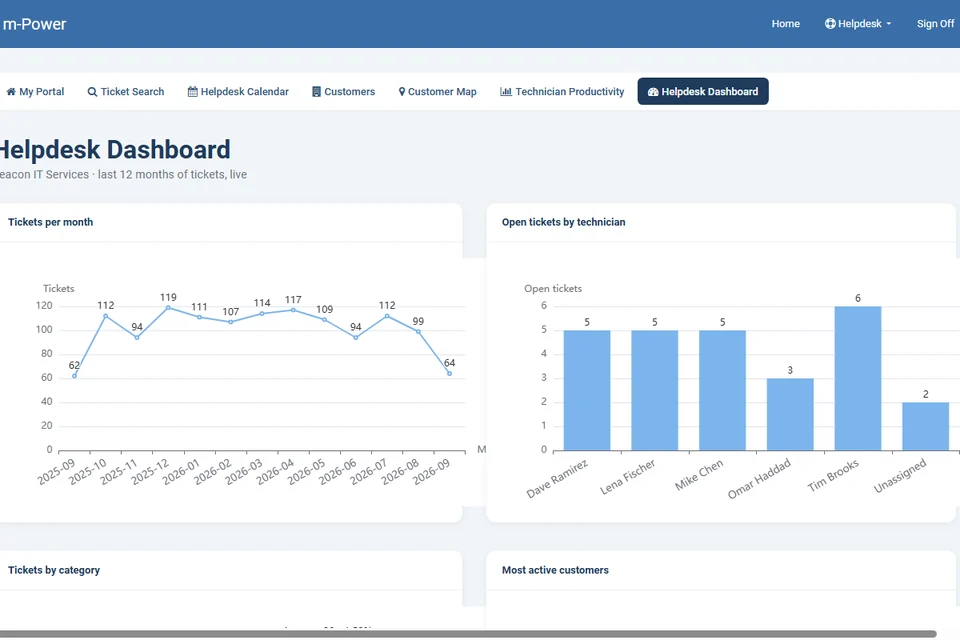
Helpdesk Dashboard
A support manager's view of the team, with ticket volume by month, open tickets by technician, and which customers call most.
Enterprise-Grade Security on Every Dashboard
Run dashboards on the same security model as the rest of your applications, with more granular control than most dashboard tools give you.
Row-level permissions
Control which users see which rows and columns in a dashboard.
Role-based access
Lock down dashboard and data access per user role.
Use your authentication
Integrate with Active Directory, OAuth2, or SAML.
Audit trails
Full logging of user actions and logins.
Frequently asked questions
Don't see your question? Ask us. You'll talk to a real person who actually cares whether this works for you.
Send us a noteWhat is m-Power dashboard software?
Is the data real-time or a nightly refresh?
Do we pay per user for dashboards?
Can we embed dashboards in our own software?
Can we control what each person sees?
Can a dashboard pull from more than one system?
Can users customize their own dashboards?
Do dashboards work on mobile?
Which databases does it work with?
Can our team build this, or do you build it?
Last updated: July 2026
See a dashboard built over your data
We'll walk through the build process live, using your data and your use case, and answer any questions your team has.