
Build Custom Scheduling Apps and Calendars Over Your Data
Stop juggling shifts, resources, and appointments across spreadsheets and whiteboards. Schedule them all in a calendar app built over your own data, on any device. Send email and SMS reminders, route approvals, and add every user without a per-seat fee.

Move Scheduling Off Spreadsheets Into a Live Calendar
A scheduling spreadsheet causes the same familiar problems: Two people book the same resource, nobody gets a reminder, and the version on your screen isn't the current one. m-Power replaces it with a live, web-based calendar over your own data, on the same security model as your other applications. Build it internally with m-Power, or have our consultants build it for you.
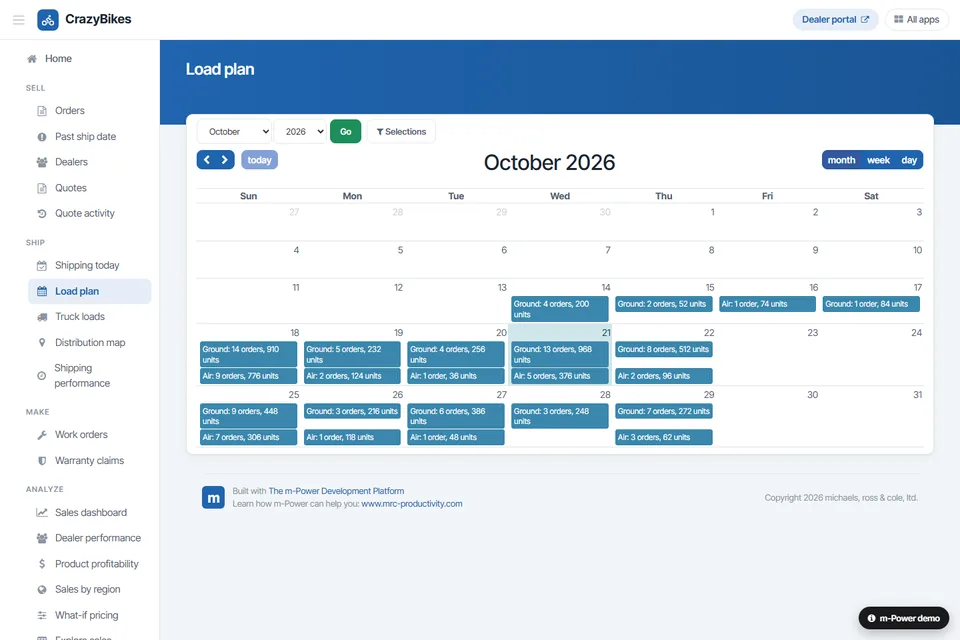
One live calendar for everyone
Everyone books against the same live data, so there's no double-booking and no question about which version is current. Color code bookings by type or status.
Reminders by email and SMS
Nobody misses a booking. Send reminders and alerts on a schedule or the moment something changes.
Route requests and approvals
Time-off and booking requests route to the right person, who approves or denies right from the calendar.
Works on every device
Every calendar is responsive, so people book and check schedules from a phone or tablet, not just a desktop.
Runs over your data, in your environment
The calendar reads and writes your own database, on-prem or in your cloud, right alongside the rest of your systems.
Add everyone, no per-seat fee
Perpetual license, no per-user fees. Put the calendar in front of every employee, manager, and requester.
What Can You Build?
Build over your existing database tables, on-premise or in the cloud. Whether your team builds with m-Power or our consultants build for you, here's what a scheduling app can include:
From Spreadsheet to Live Calendar in 12 Minutes
Watch a scheduling spreadsheet become a live, web-based calendar in about twelve minutes, complete with mobile access, email notifications, and color coding.
- Started from a scheduling spreadsheet
- Mobile access and color coding
- Email notifications built in
Resource and Facility Scheduling
Book the rooms, equipment, vehicles, and people your operation runs on, with no two bookings landing on the same slot and everyone seeing the same live availability.
- Rooms, equipment, and facilities
- Live availability, no double-booking
- Capacity planning across resources
Shift and Vacation Calendars
Build the calendars HR and operations lean on: Shift schedules, vacation requests, and shipping calendars, each one over your own data and secured to the right people.
- Shift and staffing calendars
- Vacation and time-off requests
- Shipping and delivery calendars
Reminders and Approvals
Send email and SMS reminders before an appointment, and route booking and time-off requests for approval automatically.
- Email and SMS reminders
- Approval routing for requests
- Alerts when something changes
Use Cases
A few of the scheduling apps teams build with m-Power. Build these yourself, or have our consultants build them for you:
Resource scheduling
Book rooms, equipment, and people against live availability.
Booking and appointments
Let people book slots and appointments without the back-and-forth.
Shift calendars
Plan and share staffing and shift schedules in one place.
Equipment reservations
Reserve tools, vehicles, and gear without conflicts.
Event calendars
Publish and manage internal or customer-facing events.
Capacity planning
See utilization across resources and plan ahead.
Schedule approvals
Route time-off and booking requests for sign-off.
Mobile scheduling
Book and check the calendar from a phone or tablet.
Set up a demo and we'll build a scheduling calendar over your data, live.
Get a DemoPrettl Electric Replaced Its Spreadsheet Shipping Schedule
Prettl Electric ran its shipping schedule on spreadsheets, but that couldn't scale with the business. They used m-Power to replace it with a web-based scheduling app that shows real-time data to their plants around the world.
- Displays real-time data to plants worldwide
- A web-based schedule that scales with them
- Eliminated double data entry and manual calculations
Scheduling Calendar Demos
Try these live scheduling apps that were built with m-Power.
Shipping Calendar
An order shipment app that lets employees create and update shipments on a calendar.
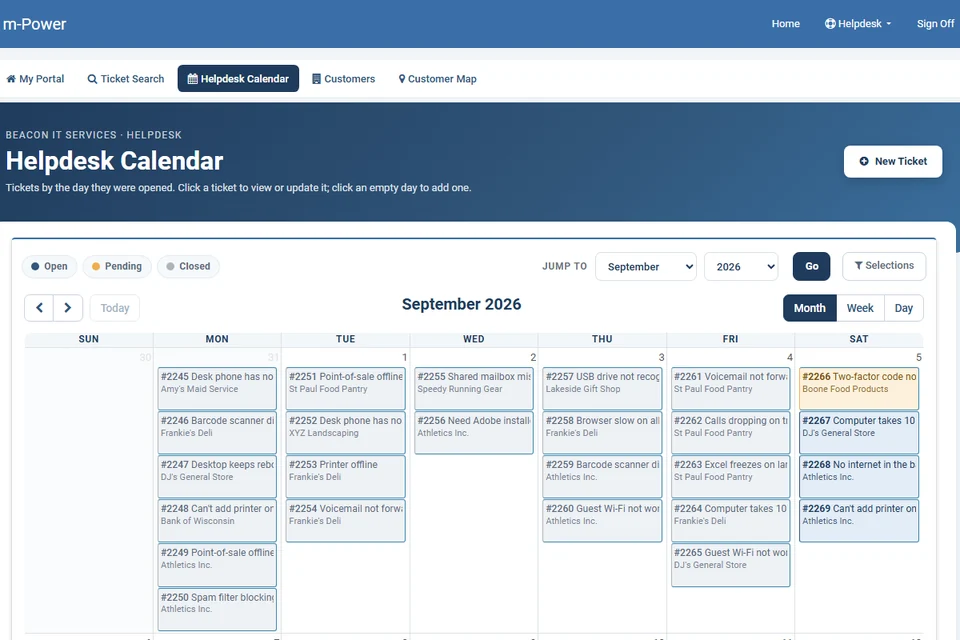
Helpdesk Calendar
A calendar that lets customer service employees assign and maintain helpdesk tickets.
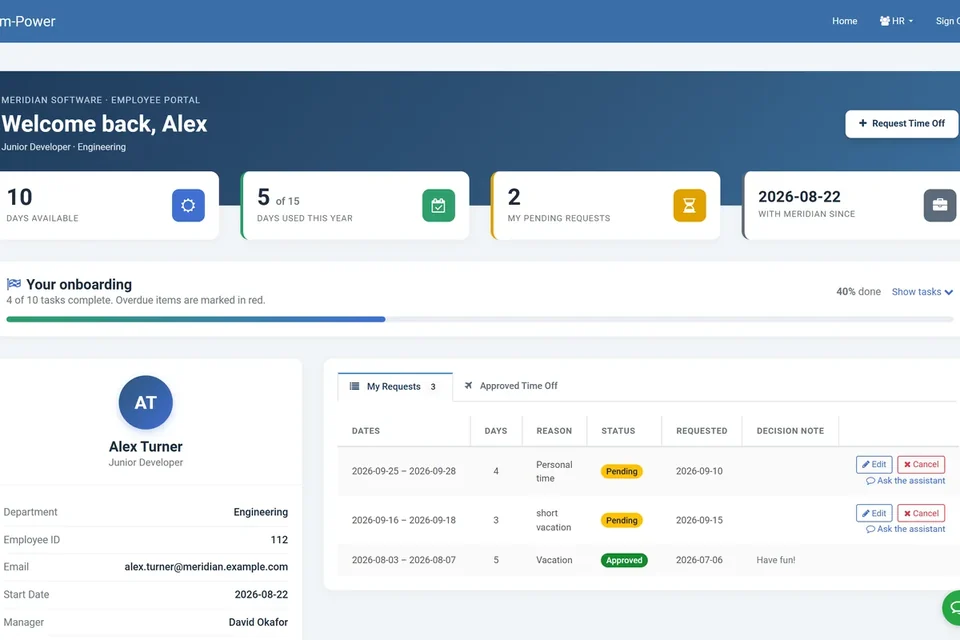
Vacation Request Calendar
An HR calendar for requesting time off, with supervisors logging in to approve or deny.
Every Calendar Runs on Your Security Model
Run scheduling on the same security model as the rest of your applications, so you control who can book, see, and approve.
Row-level permissions
Control which users see and book which schedules.
Role-based access
Decide who can book, view, and approve per role.
Use your authentication
Integrate with Active Directory, OAuth2, or SAML.
Audit trails
Full logging of bookings, changes, and approvals.
Frequently asked questions
Don't see your question? Ask us. You'll talk to a real person who actually cares whether this works for you.
Send us a noteWhat is m-Power scheduling software?
What can we schedule with it?
Can it send reminders?
Can it route approvals?
Does it prevent double-booking?
Does it work on mobile?
Do we pay per user?
Where does our data live, and which databases?
How fast can we build one?
Can our team build it, or do you build it?
Last updated: July 2026
See a scheduling app built over your data
We'll walk through the build process live, using your data and your use case, and answer any questions your team has.