
Build a Web Front-End Over Any Database
Your team shouldn't have to ask IT just to see or fix a record. Turn any database table into a searchable web app where users search, filter, add, edit, and delete data themselves, on any device, without coding and without per-seat fees. It all runs on the security you already use, so nobody sees or changes anything they shouldn't.

Make Any Database Easy for Your Team to Use
Your data lives in the database, but getting to it usually means a query, a spreadsheet export, or a developer's time. A front-end fixes that, if you can build one that's secure, works on any device, and doesn't cost per user. m-Power builds exactly that over your own tables, on the same security model as your other applications. Build it internally with m-Power, or have our consultants build it for you.
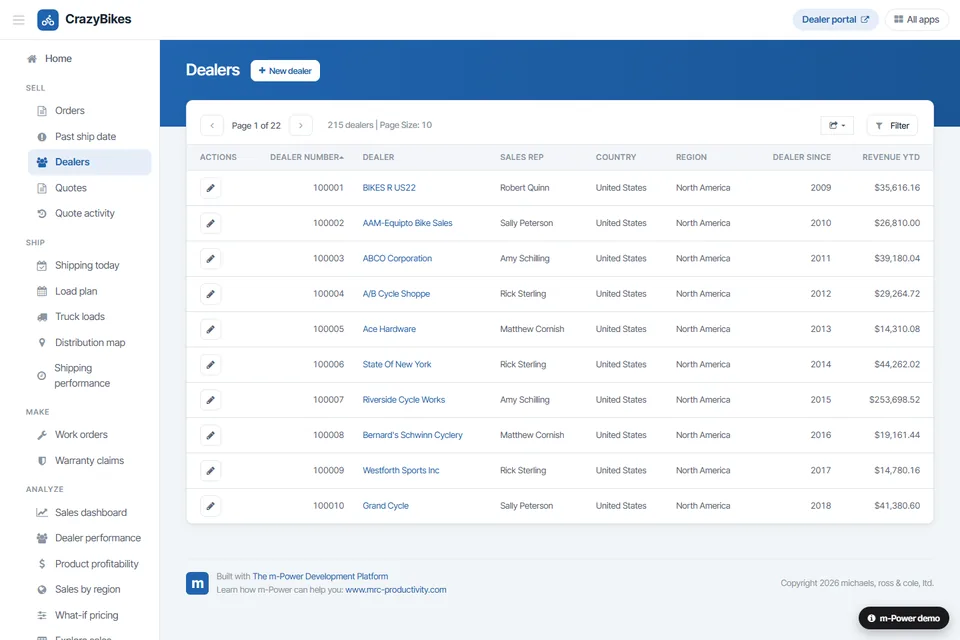
Search, sort, and filter out of the box
Every front-end comes with searching, sorting, filtering, and paging built in, so a raw table becomes an app people can actually navigate. Drill from the list straight to the record behind it.
Full add, edit, and delete
These are complete apps over your data. Create, update, and remove records with validation built in.
Works over any relational database
If your data lives in a JDBC-compliant database, m-Power builds a front-end over it, on-prem or in the cloud.
Customize down to the code
Start from a template, then make it yours. m-Painter controls the look and feel, and you can edit the HTML, CSS, and Java when you need to.
Runs over your data, in your environment
The front-end reads and writes your own database, on-prem or in your cloud. No copy of your data sent anywhere else.
Add everyone, no per-seat fee
Perpetual license, no per-user fees. Give a front-end to everyone who needs the data.
What Can You Build?
Build over your existing database tables, on-premise or in the cloud. Whether your team builds with m-Power or our consultants build for you, here's what a front-end can do:
Watch a Database Front-End Get Built
Watch a secure web front-end come together over a database table in about five minutes, with search, filter, and full add, edit, and delete, and no framework code written by hand.
- Pick a table, choose the columns
- Search, filter, and sort built in
- Full add, edit, and delete
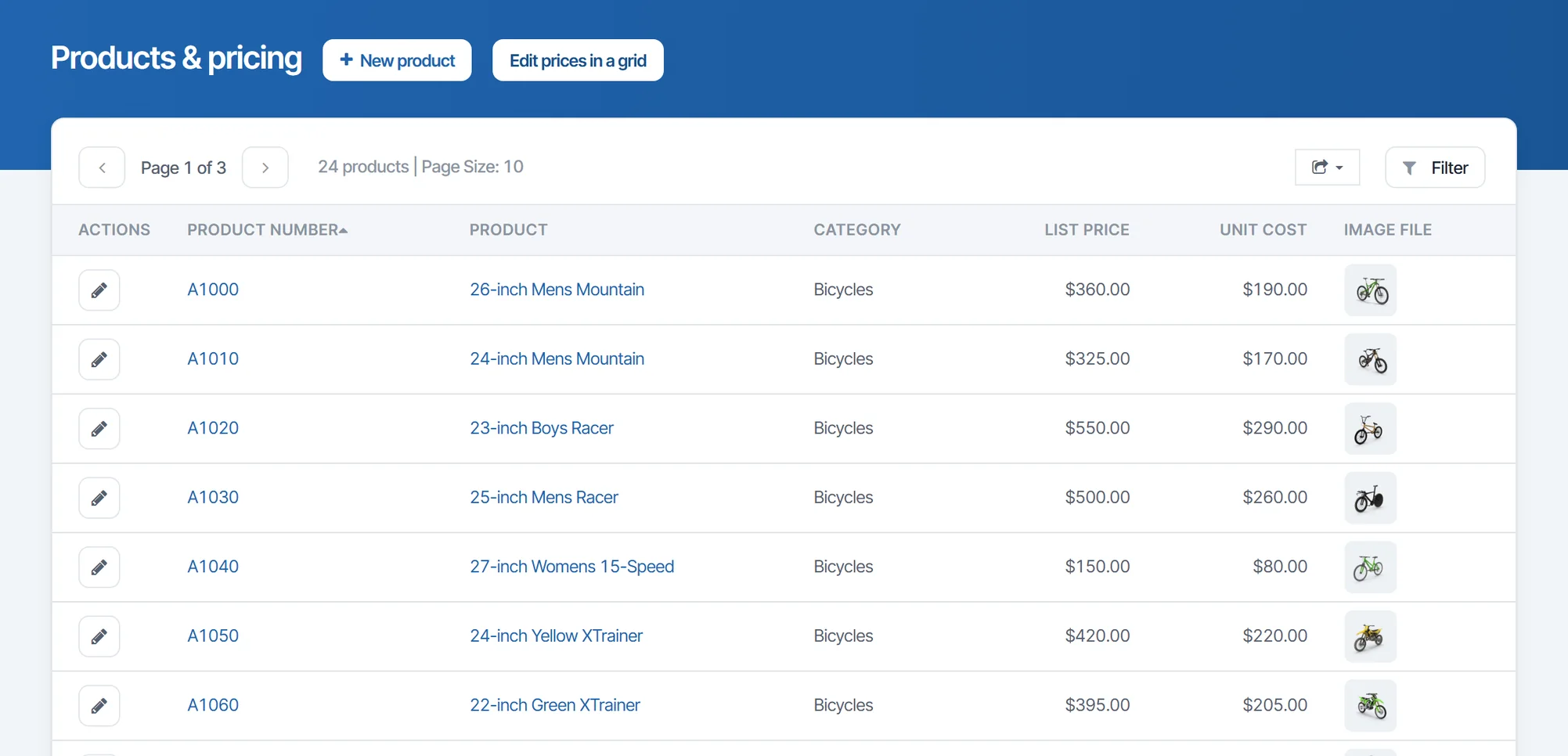
Searchable Data Lists With Full CRUD
The classic front-end: A clean, searchable list of your records with the ability to add, view, update, and delete. Join fields from multiple tables into one view when you need to.
- Searchable, sortable data lists
- Add, view, update, and delete
- Joined views across tables
Front-Ends Over Any Relational Database
The same build process works over whatever you run. Put a modern web front-end on your ERP data, your IBM i tables, or a cloud warehouse, without migrating any of it.
- Oracle, SQL Server, Db2, MySQL, PostgreSQL
- IBM i, Snowflake, and more
- Over ERP data or a green-screen system
Customized to Fit Your Users
A template gets you started fast, but you're never boxed in. Restyle it with m-Painter, add charts and forms, wire in a workflow, or open the code and change anything.
- Full control over look and feel
- Add charts, forms, and workflows
- Edit the HTML, CSS, and Java directly
Use Cases
A few of the front-ends teams build with m-Power. Build these yourself, or have our consultants build them for you:
Turn any table into an app
Give a raw database table a searchable, editable web front-end.
Front-ends over ERP data
Put a modern app on your ERP tables without touching the ERP.
Green-screen replacement
Move legacy green-screen tables to a browser front-end.
Searchable data lists
Let people find and open records without a query or an export.
CRUD admin tools
Back-office apps to create, read, update, and delete records.
Multi-table joined views
Combine fields from several tables into one clean screen.
Embedded in portals
Drop a front-end inside a portal or another application.
Mobile data access
Reach and update the same records from a phone or tablet.
Set up a demo and we'll build a front-end over your database, live.
Get a DemoDatabase Front-End Demos
Try these live front-ends that were built with m-Power.
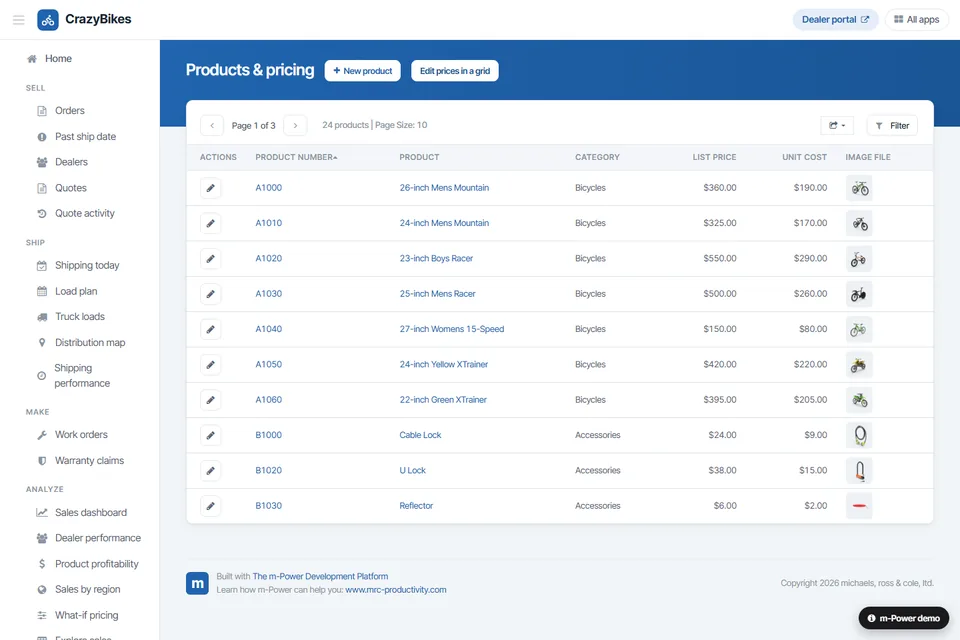
Database CRUD Application
A front-end that lets users create, read, update, and delete records in the database.
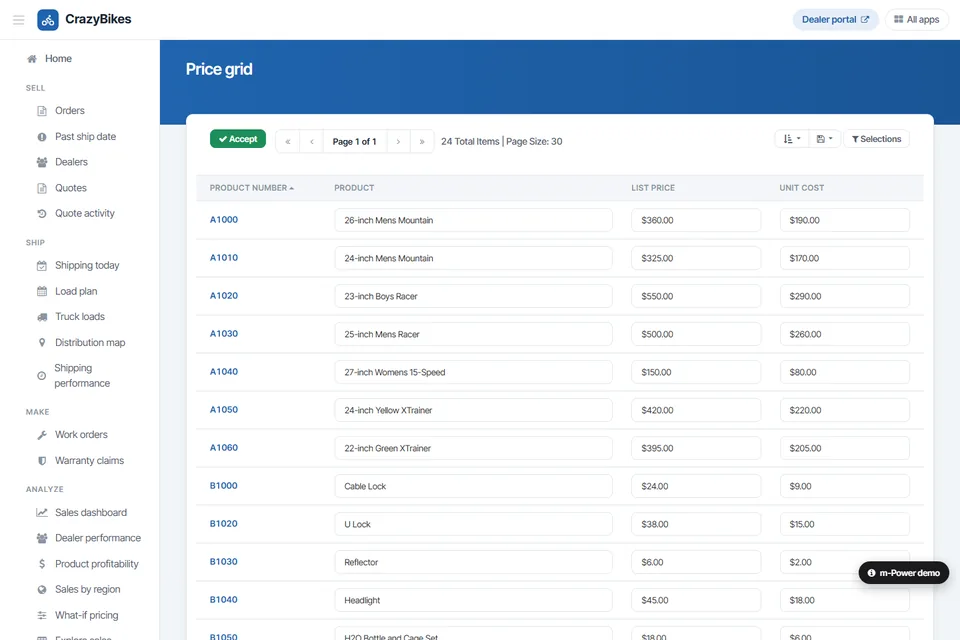
Database Update
A front-end that lets users update multiple database fields at once, in one place.
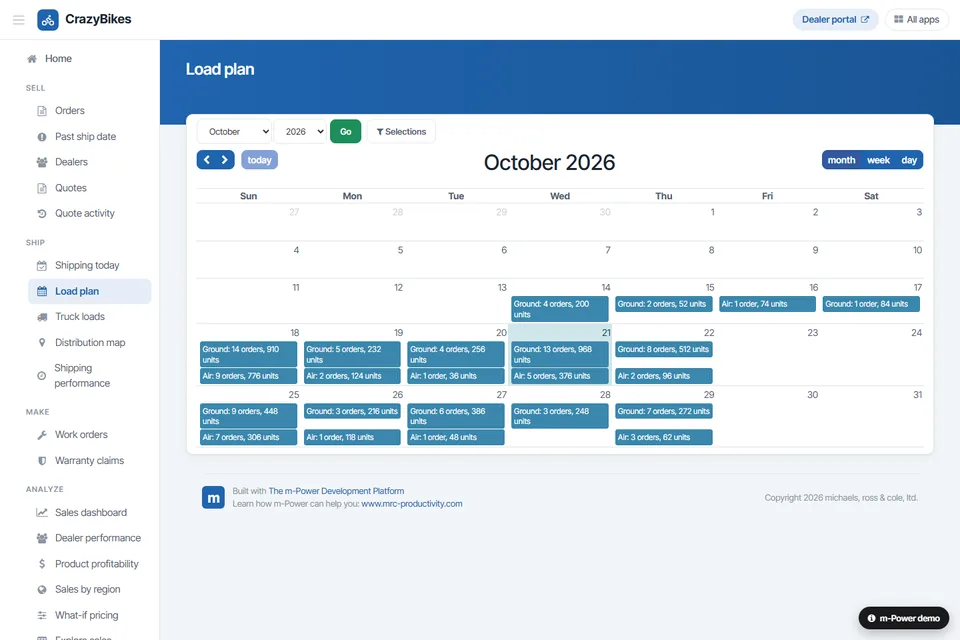
Calendar Front-End
A front-end that lets employees update the database through a calendar interface.
Every Front-End Runs on Your Security Model
Run each front-end on the same security model as the rest of your applications, so you control who can see and change each record.
Row-level permissions
Control which users see and edit which rows and columns.
Application security
Lock down application access per user role.
Use your authentication
Integrate with Active Directory, OAuth2, or SAML.
Audit trails
Full logging of user actions and record changes.
Frequently asked questions
Don't see your question? Ask us. You'll talk to a real person who actually cares whether this works for you.
Send us a noteWhat is a database front-end, and what does m-Power build?
How long does it take to build one?
Do we need programming skills?
Which databases can we connect to?
Can we customize the look and feel?
Can it add, edit, and delete, or just display data?
Is it secure?
Do we pay per user?
Where does our data live?
Can our team build it, or do you build it?
Last updated: July 2026
See a front-end built over your database
We'll walk through the build process live, using your data and your use case, and answer any questions your team has.