

Overview
m-Power applications allow you to have the ability to manually override the default SQL statement. Some customers wish to do this to be able to fully customize which data is extracted from the database. To do this, build your application as you normally would.
In the illustration provided below, we have selected the Report Template.
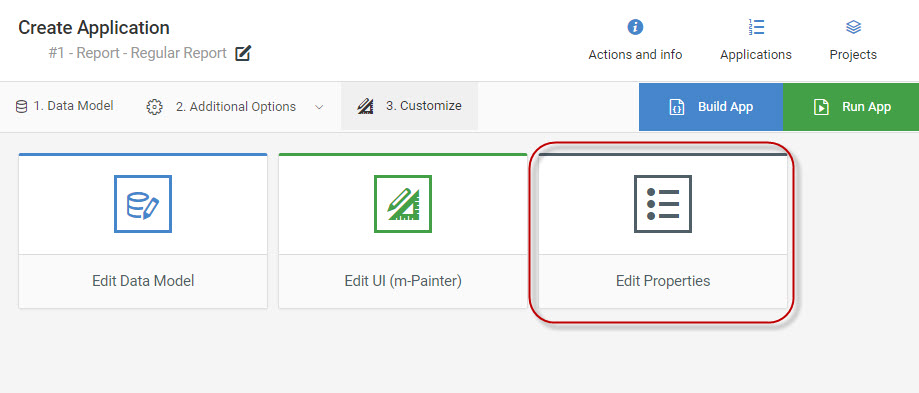
Then, instead of running your application, click the “Edit Properties” from the Manage Applications screen.
Click the “SQL Statement” tab.
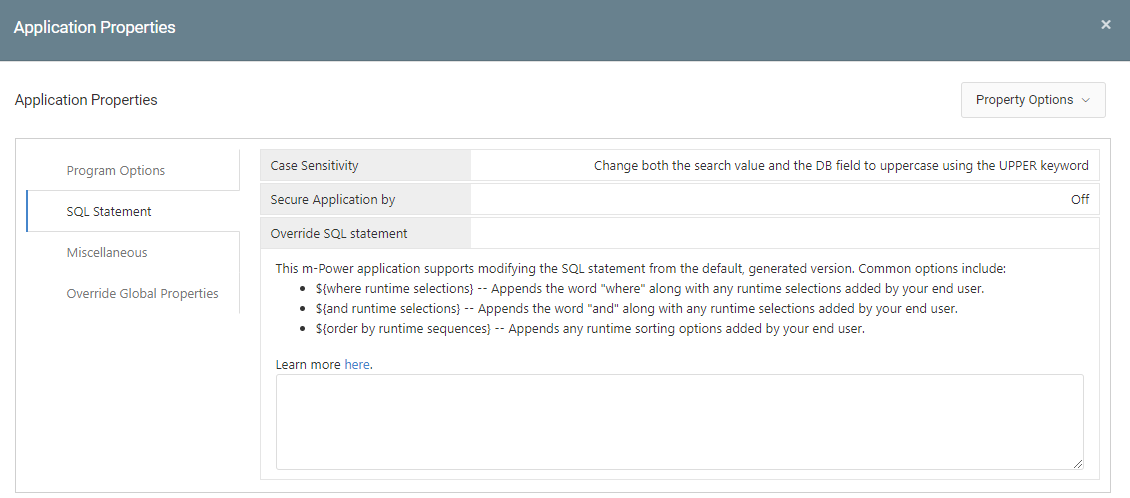
Look for the “Override SQL Statement” option. Follow the on-screen help to specify your very own SQL statement.
How do I add runtime parameters to my SQL statement?
Usually, when you need to override the default m-Power SQL statement, your statement will be finite. That is, you will specify fields, tables, and where clauses. However, there may be times where you will need to include end-user selection criteria into the SQL statement.
Generally speaking, the best place to begin is by seeing what the default SQL statement is. To do this, add ?debug=1 (and &run=2 if it is a report) to the end of your URL. Your screen should look something like this:

Where Clause
In this example, we will utilize our record selection in our customer SQL statement. To do this, open Application Properties, navigate to the SQL Statement tab, and copy and paste the above section (the first line only) into the “sql_statement” box:
SELECT T01."CNAME", T01."CCITY", T01."CSTATE", T01."AMTDU" FROM MRCWORKLIB."CUSTMAST" T01 ${where runtime selections}
Notice, that the logic to call the Run-time selection is ${where runtime selections}. The syntax must be used exactly like this.
The latter will form your syntax so that the keyword WHERE is not repeated.
My output will look like this at runtime (with debug showing):

As you can see from the debug statement, the runtime selections were correctly inserted into the SQL statement at runtime.
Additional Notes
The five runtime selections that can be used when overriding the SQL statement are:
- ${RXXX} — Available in reports only. Allows you to utilize any value passed in via a run-time record selection anywhere within your SQL statement (Replace XXX with the record selection number).
- ${where runtime selection} — Used when only adding runtime record selections to the where clause of the SQL statement
- ${and runtime selection} — Used when you are adding to an already existing where clause
- ${order by runtime sequences} — Used when choosing to order your application only by the selected sequence keys
- ${order by runtime sequences without qualifiers} — Used when wanting to not specify which tables the fields come from in your order by statement