
Manufacturing Analytics and Reporting
Your production data lives in an ERP, a few databases, and a stack of spreadsheets someone updates by hand. Get one real-time view of it all: Reports, dashboards, and portals over the data you already have. Your team can build them with m-Power, or ours can do it for you.

Get One Real-Time View of Your Operation
Pull your ERP, quality system, and scheduling spreadsheets into live reports, dashboards, and portals that show the whole operation at once. Build them yourself, have us build them, or split the work. It all runs in your environment and fits your process.
See all your data in one place
Join the systems that never talk to each other, so every meeting starts from the same numbers.
Get the reports your ERP can't produce
Build over the ERP's database, not inside its code, so vendor upgrades stay safe.
Put live numbers on the shop floor
KPI dashboards on monitors across the floor, so a line that falls behind gets fixed today instead of discussed next week.
Check the floor from any device
Every solution is a responsive web app, with nothing to install.
Give the whole plant access
There are no per-user fees. Rolling a dashboard out to 500 people costs the same as five.
Make it fit your process
Off-the-shelf tools make you work their way. A custom build matches how your operation actually runs.
Solve It Your Way: Software, Services, or Both
Bring reporting and analytics to your data in one of three ways: Build everything yourself with m-Power, have us build for you, or a combination of both. Either way, you get the custom reporting you need, backed by a team that makes sure you succeed.
Build it yourself with m-Power
Your team builds reports, dashboards, and portals over your existing databases with m-Power. Support is staffed by consultants who use m-Power every day.
Have us build it for you
Tell our services team what you need and they build it over your data. 96% of first-time services clients come back for another project.
Overall it's a big success. We have lots of information available now that just wasn't possible beforehand. It is so much more than a BI tool, you can write a whole new system with m-Power. Basically, we can deliver anything now.
Matt Craig, Senior Technical Specialist, IBP Group
I can now do five projects in the time that I would have done one project.
Roisin Bowen, Systems Developer, Autochair
We've really managed a huge return on our investment because we haven't needed a specific developer for these reporting needs.
Andrew Gilbert, IT Director, Showplace Wood Products
How Showplace Wood Products Got the Reports Its ERP Couldn't Produce
Showplace's Friedman Frontier ERP couldn't produce the reports they needed, so employees keyed data in and out of the system by hand. The manual work slowed operations enough to limit how many cabinets they could physically produce. Here's what changed after they built custom reporting over the ERP with m-Power:
Of manual data entry eliminated by automating data delivery from the ERP to the cutting department.
Every application was built by their existing staff, avoiding the cost of a full-time developer.
Tablet apps with real-time ERP data on the shop floor helped the team hit their daily shipping goal.
See What You Could Deliver
These examples are live applications. Click through and use them. Build any of them with m-Power, or have us build them for you.
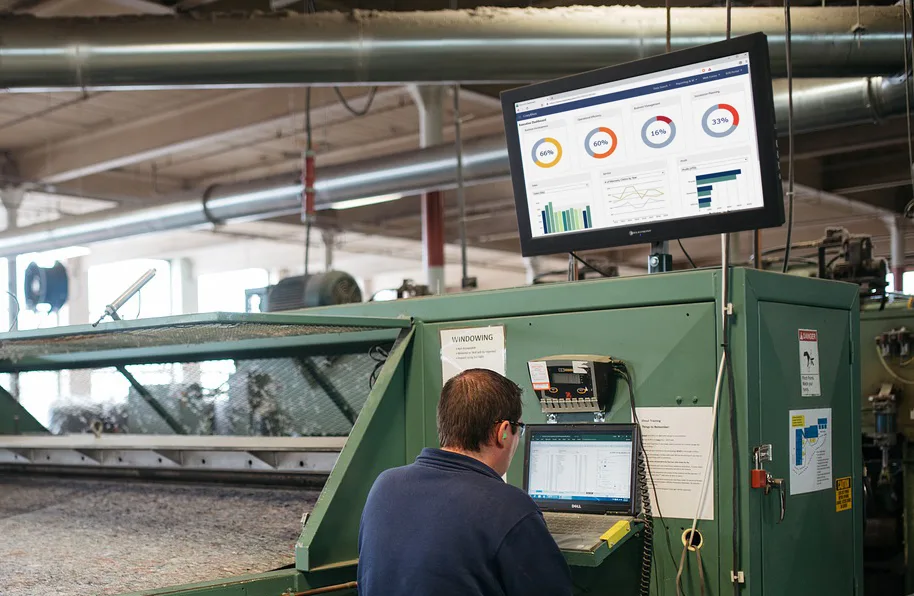
Shop floor dashboards
Display live KPIs on monitors throughout the floor so every shift knows where it stands against the day's goals.
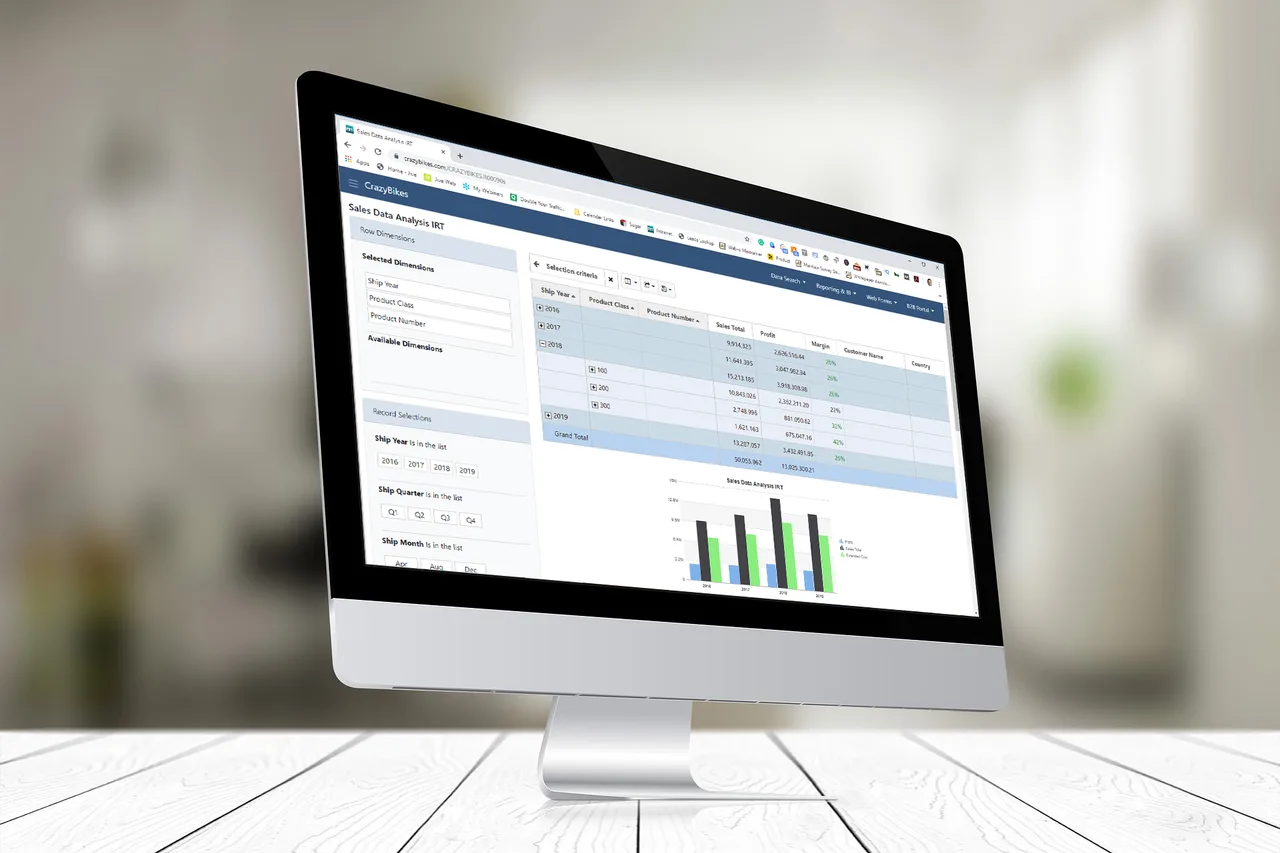
Production reporting
Generate and distribute production reports on a schedule, or automatically when the underlying data changes.
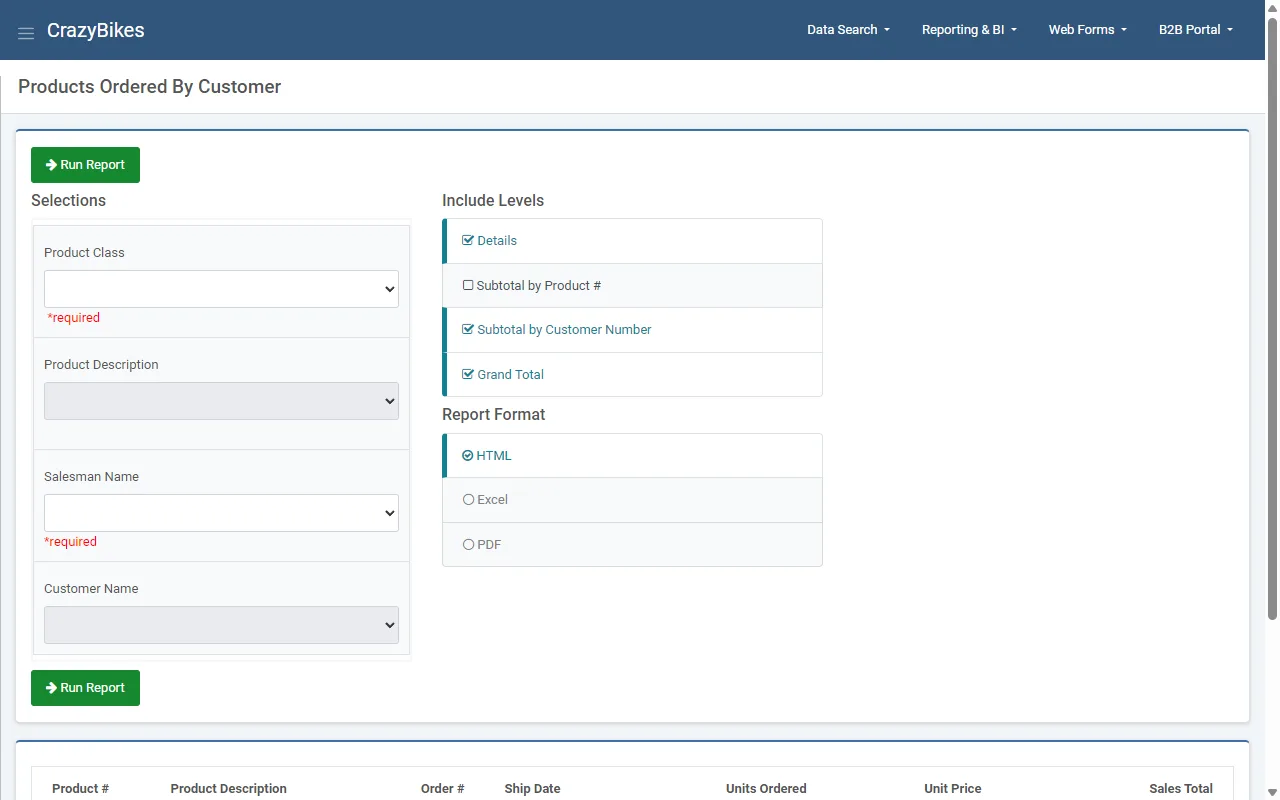
Ad-hoc reporting
Users choose the filters, subtotals, and format, then run it against live data. One-off report requests stop landing on IT's desk.
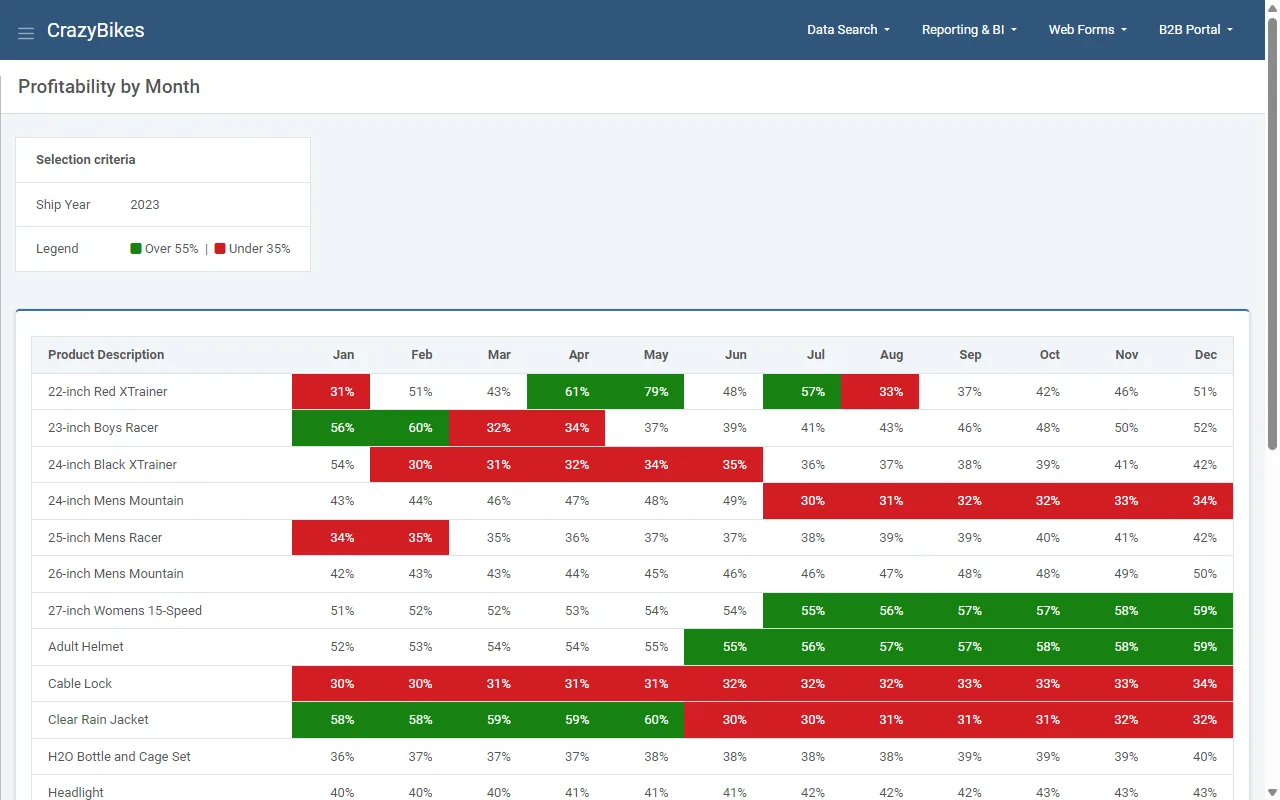
Profitability reports
Margin by product and month, color-coded so the problems stand out. Drill from any number to the detail behind it.
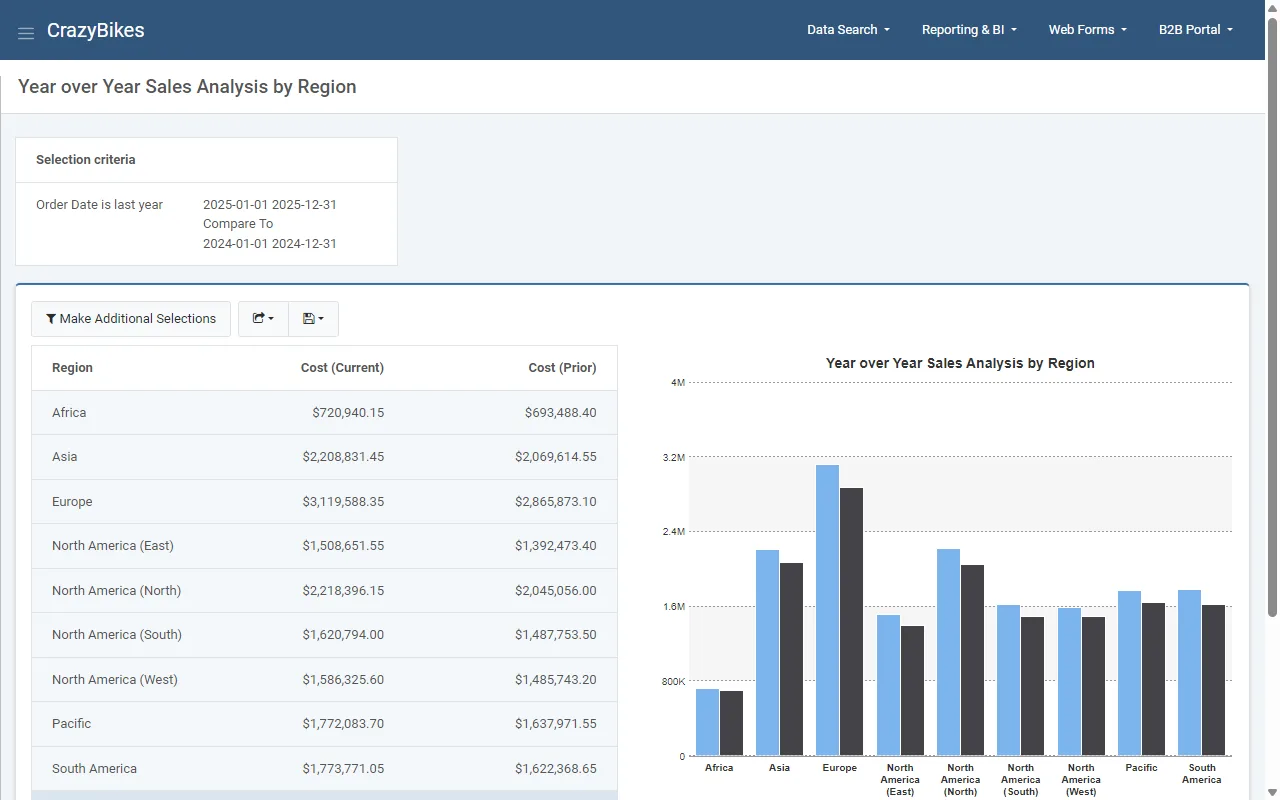
Year-over-year sales
Compare any timeframe to the prior period or year, side by side in tables and charts.
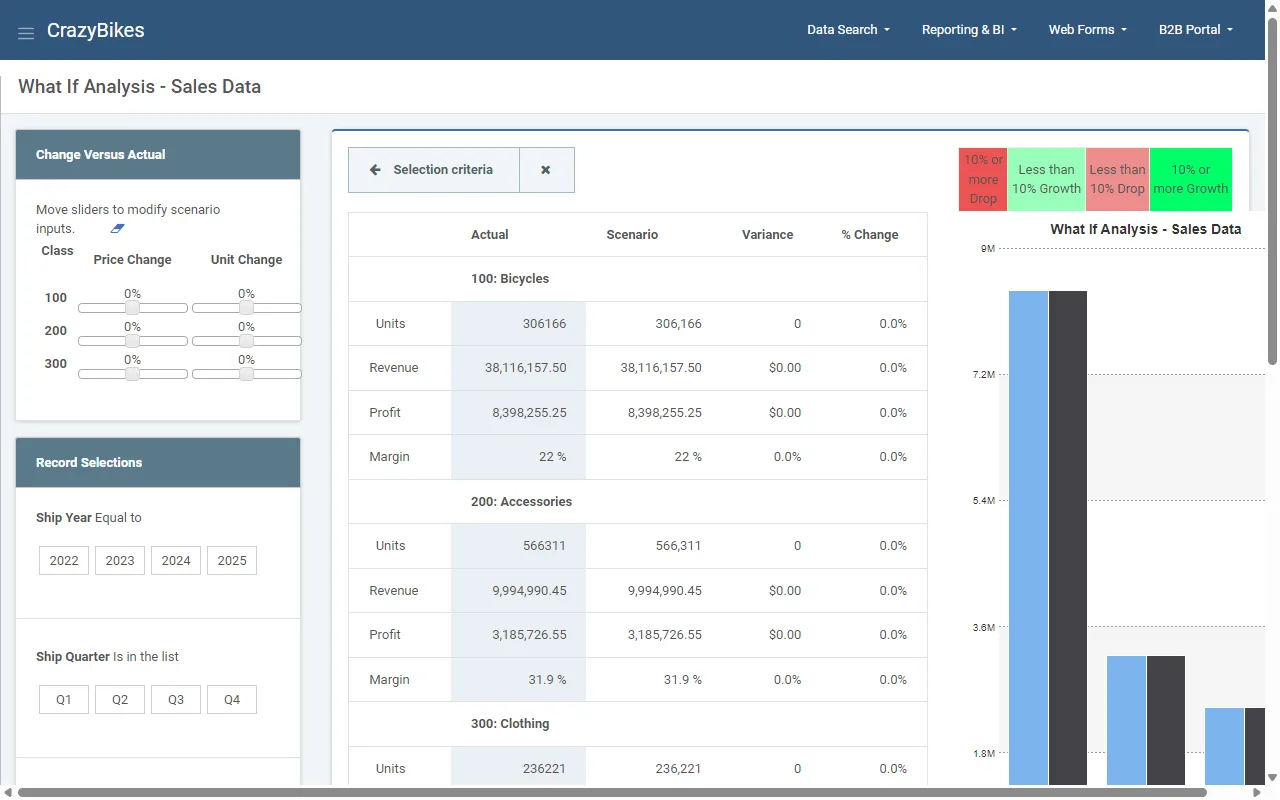
Budgeting and forecasting
Model cost and volume changes with sliders and see the effect on margin before you commit, all on live data.
Frequently asked questions
Don't see your question? Ask us. You'll talk to a real person who actually cares whether this works for you.
Send us a noteDoes m-Power replace our ERP system?
What if we don't have time to build it ourselves?
Can m-Power combine data from multiple systems?
What databases does it work with?
Do we need developers on staff to use m-Power?
How is m-Power licensed?
Does it run on-premise or in the cloud?
How much faster is this than our current process?
Last updated: July 2026
Get Started in 3 Steps
You'll see proof over your own data before you make any decision.
Get a demo
Show us the reports and dashboards you can't get today. We'll walk through how we'd build them over the systems you already run.
See it over your data
Next comes a proof of concept. You'll see m-Power running over your own ERP and plant data, with real screens and real numbers.
Roll it out your way
Build with m-Power, hand your list to our services team, or split the work. There are no per-user fees, so you can give the whole plant access on day one.
- You see it working over your own data before you buy
- Everything runs in your environment, under your security model
- One-time license that doesn't change as you add users
- Support staffed by consultants who build with m-Power every day
See manufacturing analytics over your data
We'll look at your reporting and dashboard needs, show you how we'd solve them, and answer your team's questions. You'll talk to a real person who actually cares whether this works for you.