
Build a Custom Inventory Management System That Fits Your Business
Your warehouse process shouldn't have to change to fit off-the-shelf software. Get an inventory system that tracks stock, orders, and vendors the way your operation actually runs, over your existing data. Put it on phones and scanners for the floor, keep it wired into your ERP, and add every user without a per-seat fee.

Get Inventory Software That Fits How Your Warehouse Actually Works
Off-the-shelf inventory software makes you work its way. The receiving flow doesn't match yours, the field you need isn't there, the mobile app costs extra, and the per-user fees climb as you add people. m-Power builds the system around your operation instead, over your own database, on the same security model as your other applications. Build it internally with m-Power, or have our consultants build it for you.
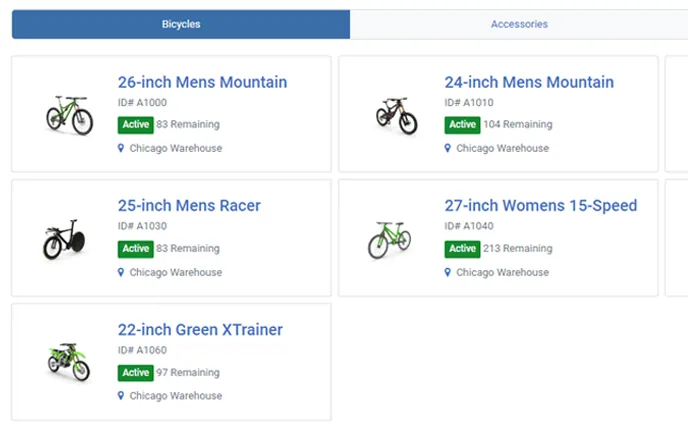
Matches how your warehouse runs
Build the locations, bins, units, and receiving and picking flows around your actual operation, instead of changing your process to fit the software. Change it whenever your process changes.
Put it on phones and scanners
Every app is web-based and responsive, so warehouse staff can receive, count, and pick from a phone or a handheld scanner.
Reorder before you run out
Set reorder points and let the system watch stock for you. When an item drops below its minimum, it drafts the PO and alerts purchasing.
One view across every location
See stock across all your sites in one place, with each location and role scoped to what it should see.
Wired into your ERP
An open architecture keeps the inventory system in sync with your ERP and other tools, so stock and orders don't get keyed twice.
Add every user, no per-seat fee
Perpetual license, no per-user fees. Put the system in the hands of everyone on the floor, in purchasing, and in the office.
What Can You Build?
Build over your existing database tables, on-premise or in the cloud. Whether your team builds with m-Power or our consultants build for you, here's what a custom inventory system can include:
Watch a Full Inventory System Get Built
Watch the whole build: A custom inventory system with products, vendors, and orders, plus workflow automation and integrations, starting from nothing but data.
- Products, vendors, and orders
- Workflow automation built in
- Third-party and ERP integration
Products, Vendors, and Orders in One Place
Manage the items, suppliers, and orders your operation runs on, with the fields and flows your business actually uses instead of a generic template.
- Product and SKU management
- Vendor and purchase orders
- Sales orders and fulfillment
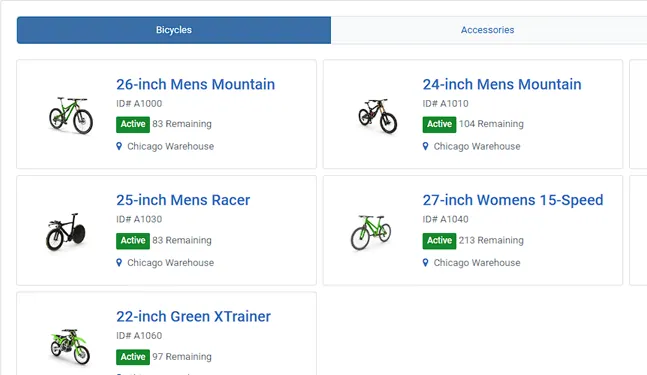
Mobile Scanning and Cycle Counts
Move the work to where the stock is. Warehouse staff receive, count, and pick from a phone or handheld scanner, and stock counts update in real time.
- Barcode scanning for receiving and picking
- Cycle counts from the floor
- Real-time stock updates
Reorder Alerts and Automation
Let the system handle the reordering. Set minimums, and when stock drops below them, it drafts the purchase order and notifies purchasing and the vendor automatically.
- Reorder-point alerts
- Auto-drafted purchase orders
- Vendor and team notifications
Use Cases
A few of the ways teams put a custom m-Power inventory system to work. Build these yourself, or have our consultants build them for you:
Stock control
Track quantities, locations, and movement across your whole operation.
Barcode and scanning
Scan items in and out for fast, accurate receiving and picking.
Receiving and putaway
Log incoming stock and direct it to the right bin or location.
Cycle counts
Count on a schedule from the floor and keep stock numbers honest.
Reorder alerts
Get warned before you run out and reorder without watching stock by hand.
Multi-location
Manage stock across warehouses and sites from one system.
Mobile warehouse
Receive, count, and pick from a phone or handheld scanner.
ERP-integrated inventory
Keep stock and orders in sync with your ERP and other systems.
Set up a demo and we'll build an inventory proof of concept over your data.
Get a DemoTry the Inventory Management Demo
A working inventory system for a fictional bike distributor with three warehouses, built with m-Power. No sign-in, and the data resets every night.
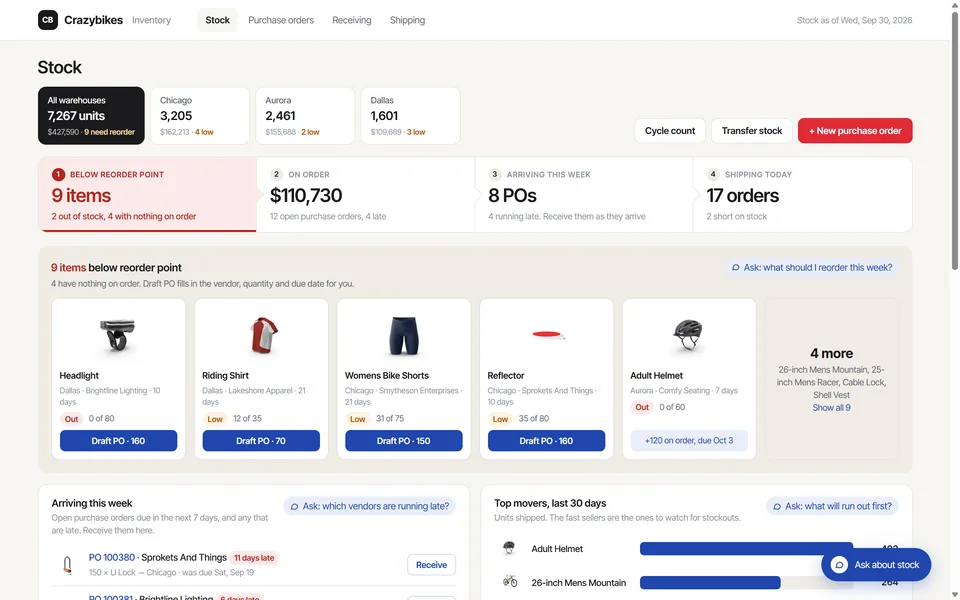
Inventory management
A bike distributor’s stock across three warehouses. Draft a purchase order or receive a shipment and the numbers update. An AI assistant answers questions about orders and inventory.
Enterprise-Grade Security Across Every Location
Run the inventory system on the same security model as the rest of your applications, with control right down to the row.
Row-level permissions
Control which users see which locations, items, and rows.
Role-based access
Lock down application and data access per user role.
Use your authentication
Integrate with Active Directory, OAuth2, or SAML.
Audit trails
Full logging of user actions and logins.
Frequently asked questions
Don't see your question? Ask us. You'll talk to a real person who actually cares whether this works for you.
Send us a noteHow is a custom m-Power inventory system different from off-the-shelf?
Do we pay per user or per seat?
Does it work on mobile devices and scanners?
Can it handle reorder points and automation?
Can it manage multiple warehouses or locations?
Can it integrate with our ERP?
Where does our data live?
Which databases does it work with?
How long does it take to build?
Can our team build it, or do you build it?
Last updated: July 2026
See an inventory system built over your data
We'll walk through the build process live, using your data and your use case, and answer any questions your team has.