
Build Mobile Web Apps for Any Device
Give your team the apps they need on any phone or tablet, without a separate mobile project. Work orders, lookups, and data entry run over your own data, on whatever device is in hand. Mobilize the apps you already have, and add every user without a per-seat fee.

Why Build Mobile Apps With m-Power?
Going mobile usually means a second project: A native app per platform, an app store to manage, another codebase to maintain. m-Power skips that. Every app it builds is already cross-platform, running in the browser on any phone, tablet, or scanner, over your own data. Build them internally with m-Power, or have our consultants build them for you.
One build runs on every device
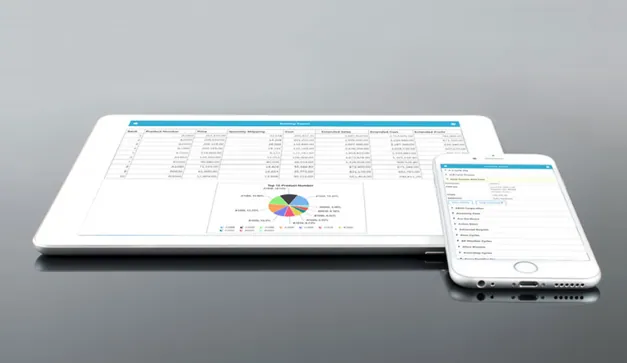
m-Power creates cross-platform apps with every build, so the same app works on a phone, tablet, and desktop, with no separate version to maintain and nothing to publish to an app store.
Mobilize the apps you already have
You don't have to start over. Take your existing m-Power applications mobile, or add mobile screens to what you've already built.
The same security on the small screen
Row-level security and your sign-on apply on a phone exactly as they do at a desk.
Real-time data in the field
Give people in the field and on the floor live data they can act on, straight from your database.
Runs over your data, in your environment
Mobile apps read and write your own database, on-prem or in your cloud. No copy sent to a separate mobile service.
Put it on every device
Perpetual license, no per-user fees. Put apps on every field tech, driver, and warehouse worker's device.
What Can You Build?
Build over your existing database tables, on-premise or in the cloud. Whether your team builds with m-Power or our consultants build for you, here's what you can put on mobile:
Field Service and Data Entry
Give the people out in the field an app for the job: Look up a customer, log a visit, capture a signature, and submit it, all from a phone, with the data landing in your database right away.
- Customer and job lookups on site
- Forms, notes, and signature capture
- Submitted straight to your database
Warehouse Scanning on a Handheld
Turn any handheld or phone into a scanner. Receive, count, and pick against live stock, so stock counts are right the moment the work happens.
- Barcode scanning for receiving and picking
- Cycle counts from the floor
- Live stock updates, no re-keying
Approvals and Dashboards on the Go
Keep managers moving. Approve a request, check a KPI, or look up an order from a phone between meetings or out on the floor, without waiting to get back to a desk.
- Approve requests from a phone
- Check dashboards and KPIs anywhere
- Look up orders and accounts on the move
Mobilize Your Existing Apps
The apps you already run in m-Power can go mobile without a rebuild. Deliver the same data and rules on a smaller screen, so people can work wherever they are.
- Take existing apps mobile, no rewrite
- Same data and security on every device
- Add mobile screens where they help
Use Cases
A few of the mobile apps teams build with m-Power. Build these yourself, or have our consultants build them for you:
Mobile data entry
Capture data where the work happens instead of writing it down to key in later.
Field service
Look up jobs, log visits, and capture signatures from the field.
Warehouse scanning
Receive, count, and pick against live stock on a handheld.
Approvals on mobile
Let managers approve requests from a phone without a desktop.
Mobile dashboards
Check KPIs and reports on a phone or tablet, anywhere.
Customer-facing apps
Give customers a mobile app to order, look up, and self-serve.
Mobilize existing apps
Take the apps you already built mobile without a rewrite.
On-site capture
Record readings, counts, and inspections right where they happen.
Set up a demo and we'll build a mobile app over your data, live.
Get a DemoThe Same Security on Mobile as at the Desk
Run mobile apps on the same security model as the rest of your applications, down to which rows each user can see.
Row-level permissions
Control which users see which rows and columns on any device.
Role-based access
Lock down application and data access per user role.
Use your authentication
Integrate with Active Directory, OAuth2, or SAML.
Audit trails
Full logging of user actions and logins.
Frequently asked questions
Don't see your question? Ask us. You'll talk to a real person who actually cares whether this works for you.
Send us a noteWhat is m-Power mobile web app development?
Are these native apps or web apps?
Can we mobilize apps we already built?
Does it work with barcode scanners and phones?
Is mobile as secure as our desktop apps?
Do we pay per user?
Where does our data live?
Which databases does it work with?
How fast can we build a mobile app?
Can our team build it, or do you build it?
Last updated: July 2026
See a mobile app built over your data
We'll walk through the build process live, using your data and your use case, and answer any questions your team has.