Some things don’t really “click” until you see them in action. You hear people talking about some new technology, trend, or tool. But you don’t really “get it” until you see it.
That’s how data-driven AI workflows were for me.
I’d heard the AI hype. Then I saw an AI assistant working over live business data. My wheels started spinning. It opened up so many possibilities.
Then I saw that AI assistant added to a workflow. Data was passed to the assistant, which then made a decision…and led to another workflow step, which could then lead to another assistant and so on.
That’s when it really clicked. You can do anything with this.
In this article, I’ll explain more about AI workflows and why they’re so important to businesses. What are they? How do they work? Why should you care?
Also, we’ve included a video that walks through the whole process of creating an AI workflow from start to finish. After all, some things don’t really “click” until you see them in action.
What is an AI workflow?
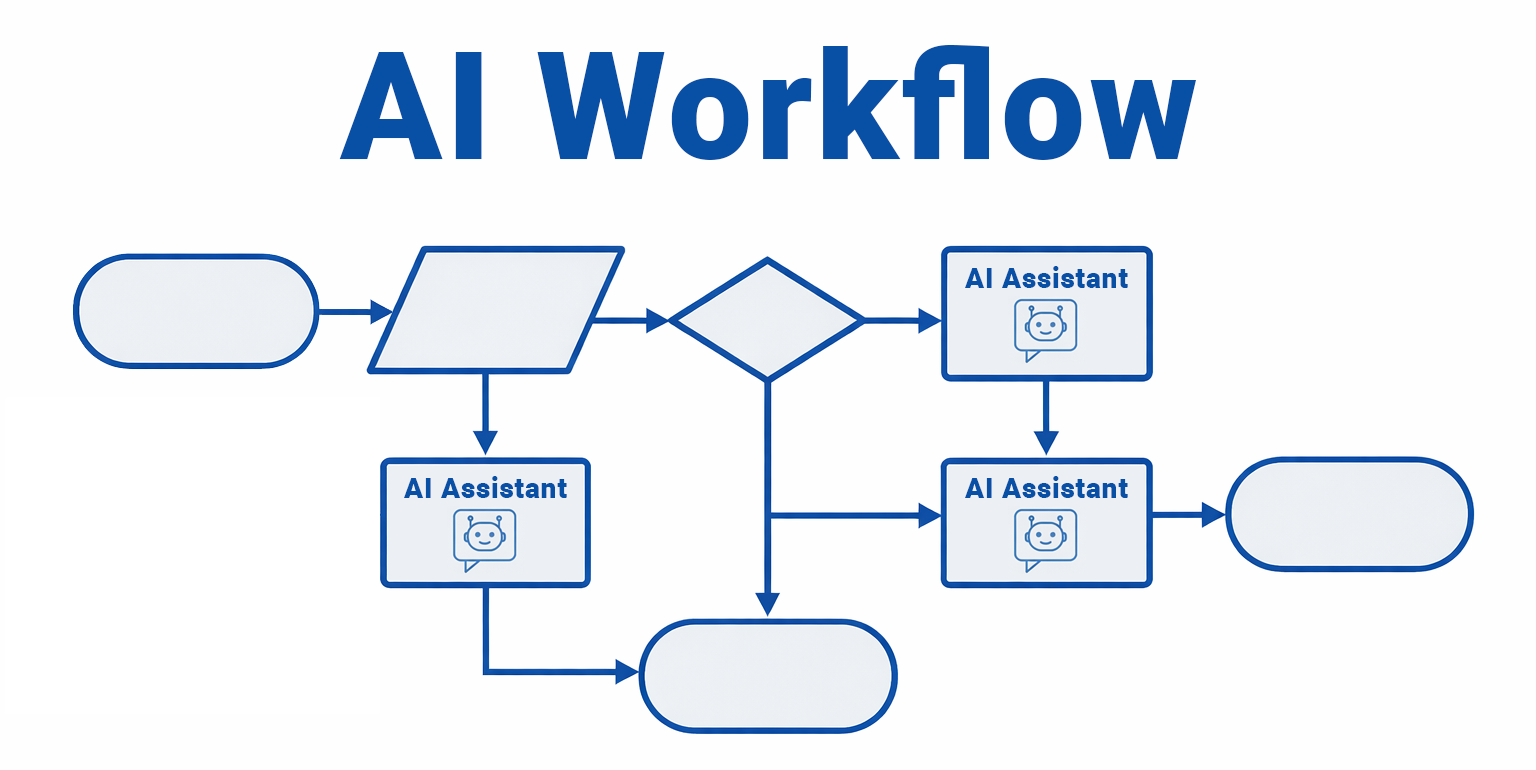
An AI workflow is a business process that includes AI at one or more steps. The AI analyzes data, makes decisions, or triggers actions as part of the larger process.
This doesn’t mean that every step in the workflow is AI. For instance, a workflow might start with a form submission. Before that data gets written to the database, it might get routed through an AI classification step and get routed to a human depending on the result. The rest of the workflow stays traditional.
What is a data-driven AI workflow?
A data-driven AI workflow runs over your existing business data. The AI reads from your systems and reacts to what it finds. The workflow writes results back to your systems.
Nothing lives on a separate platform. The AI works directly over the data you already have.
How is AI changing workflow automation?
Traditional automation follows pre-defined rules. If a condition is met, the workflow performs an action.
AI brings a level of “intelligence” to this process. It goes beyond traditional “If/Then” rules and brings an “abstract decision-making” element to workflows. It can interpret text, detect tone, classify content, make judgement calls, draft emails, and provide suggestions based on policies.
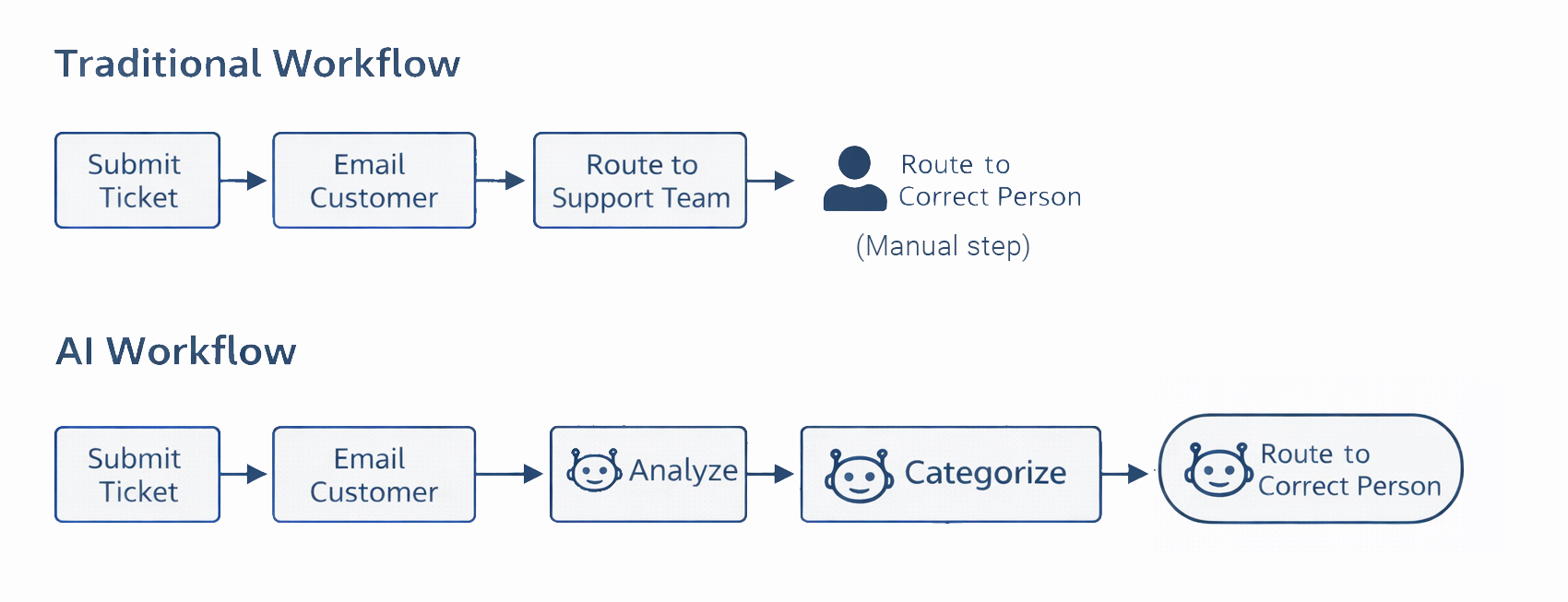
For instance, a traditional workflow process might receive a support ticket, email a confirmation to the customer, and route it to the support team. Then, someone on the support team classifies it and routes it to the appropriate person.
On the other hand, an AI-driven workflow process might receive a support ticket, email a confirmation to the customer, analyze it, categorize it by urgency and topic, and then route it to the appropriate person. It could even assign an urgency level based on the ticket.
How does AI improve a business workflow?
AI lets workflows handle steps that used to require a human. It understands data inputs and can output intelligent responses.
Even better, you can include many different purpose-driven AI Assistants and Agents in the same workflow. Maybe one assistant understands customer order data. Another has access to a technical product knowledge base. It’s like injecting different experts into the right places within your workflow.
The big advantage here is the fact that AI outputs can then be used as inputs for subsequent workflow steps. The AI response isn’t the end of the workflow.
Here’s an example: Suppose you have an AI chatbot for your employees that handles HR tasks and expense reporting. When an employee submits an expense report, it calls the expense report workflow. An AI workflow assistant reads the receipts and checks them against company policies. Flagged items get sent to a manager, while clean reports get auto-approved.
Now, suppose that the employee also had questions about their remaining vacation time. The chatbot would then call the vacation assistant that can look up vacation days for that specific employee. If the employee requests vacation days, it would then check the calendar for conflicts. If all looks good, it gets sent to their manager for approval.
This is just one example, but it highlights a couple of key ways that AI can improve a workflow. It eliminates many manual tasks and can include all types of purpose-driven assistants.
What types of workflows are good candidates for AI?
Workflows ideas for AI often involve analysis, content generation, interpretation, and decision making. Here are a few examples:
- Support ticket routing
- Document classification
- Lead scoring
- Exception flagging
- Content review
- Approval recommendations
- Analyzing customer feedback
- Invoice processing
- Anomaly detection in logs or data
- Extracting data from PDFs or images
- Summarizing data
This obviously isn’t a comprehensive list. Here’s a good rule of thumb: If the decision follows a rigid rule, traditional automation usually works fine. If it requires understanding or interpretation, AI can help.
How can I create an AI workflow over my data?
The simplest method: You need a platform that works over your data and lets you design workflows visually. There are a lot of them out there, and they’re all different.
While I can’t speak to the inner workings of each tool, here’s how we do it with m-Power:
- m-Power works over your existing data, either on-premise or in the cloud.
- Using m-Power, you can create AI Assistants and Agents over select parts of your data. You control which data the Assistant/Agent can access.
- You add specific Assistants/Agents to your workflows.
Want to see it in action? Here’s a video that shows you how to create AI-Driven workflows with m-Power:
Learn more about m-Power here: m-Power Overview.