
Chat With Your Database Using AI Data Analytics
Build AI-driven analytics with m-Power, in minutes. Your users get a way to interact with their data, discover trends, and generate charts and graphs. You control the data they can query, which model to use, and what data (if any) gets sent to the LLM.
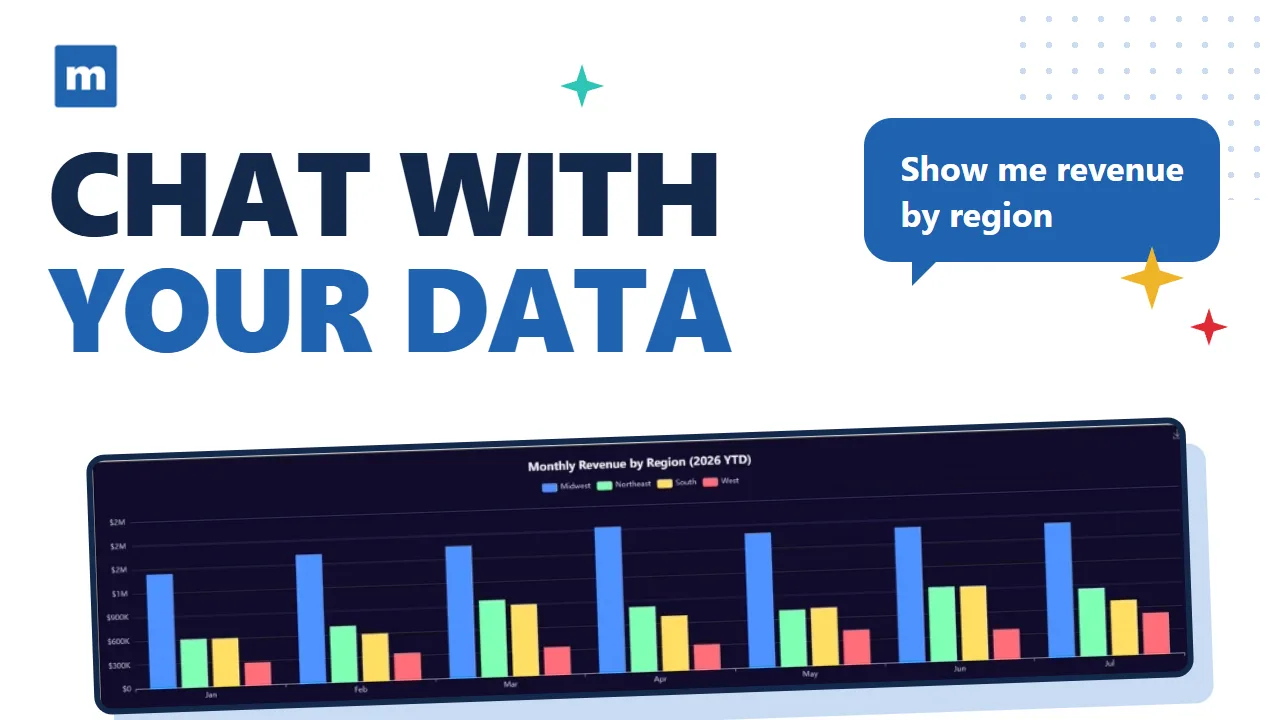
Answers From Live Data, Charts on Request
An analyst built with m-Power queries only the tables you give it, under the same security model as the rest of your applications. Your users see a chat window over the data they already work with. Build it yourself, or have our consultants build it for you. Either way, it runs in your environment.
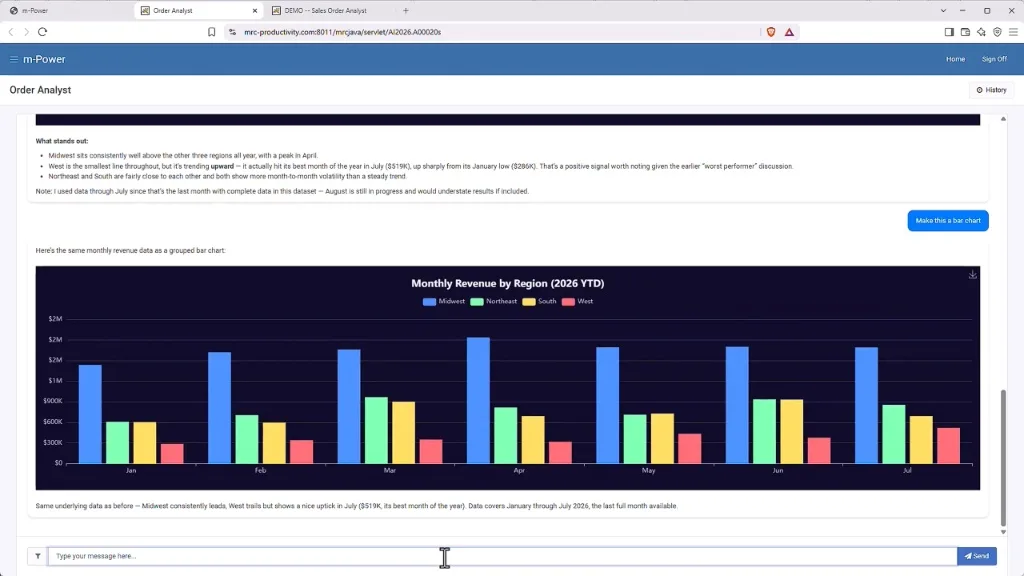
Type a question, get an answer
Users type a question and the analyst answers it, straight from live tables. Ask followup questions to dig deeper into your data and discover trends.
Charts without a report request
Let your users generate charts and graphs on demand, without needing to make a request to IT.
Find trends in your data
Unlike a prebuilt report, this approach lets users explore their data from any angle and uncover trends they wouldn't have seen.
Control your data
You control if your data gets sent to the LLM, and if so, what fields to include. It also runs over the same security you already use, so you manage user and role access.
Choose any model
Connect the LLM your company has approved, open or self-hosted, and swap it later without rebuilding the analyst.
Watch One Get Built
This video shows an AI analyst being set up over a live order database with m-Power, then answering questions and charting the results.
Build AI Data Analytics Over Your Database
Point an AI analyst at your order data and let users ask for revenue by region, month-over-month trends, and the chart to go with them. The build runs over your existing tables, so there's nothing to migrate first.
- Set up over existing database tables
- Questions answered from live data, charts on request
- Data access defined by IT before anyone asks a question
Try the Live Demo
A sales dashboard with an AI analyst attached, built with m-Power. No sign-in.
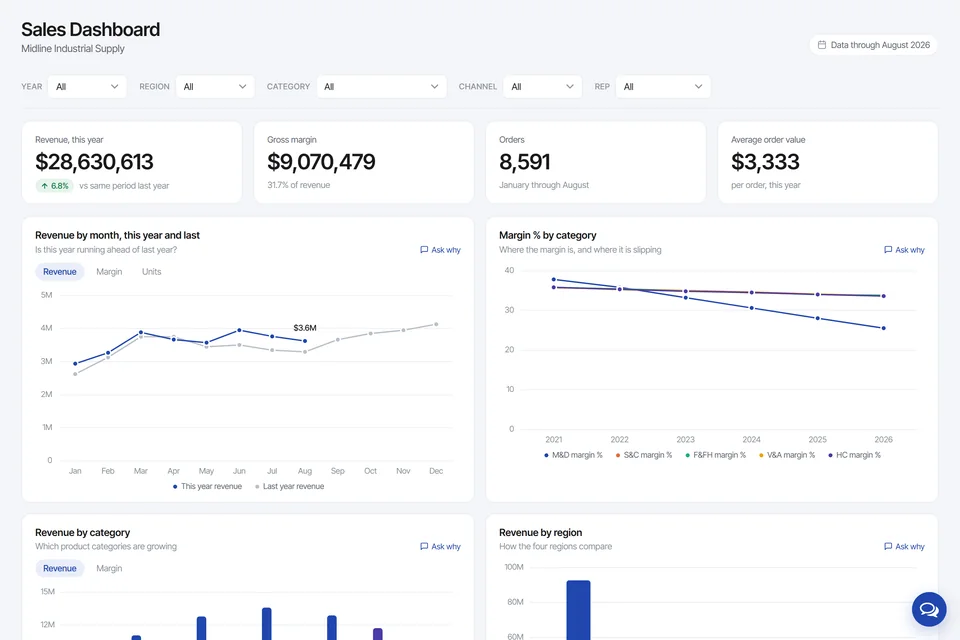
Sales Dashboard With an AI Analyst
Sales for a fictional distributor, filtered by region, category, channel and rep. Every chart has an "Ask why" link to an assistant reading the same tables, and a margin problem is hiding under five years of growth.
Where Teams Use It
A few common places an AI analyst over your database gets put to work:
Sales questions on the spot
Revenue by region, rep, or product, answered during the meeting instead of after it.
Order and shipment lookups
Open orders, late shipments, and backlog questions answered from the system of record.
Inventory trends
What's moving, what's sitting, and what's about to run short, from live inventory data.
Budget vs. actual
Finance asks how a line item is tracking and gets the current numbers and the trend.
Customer account lookups
Reps pull up a customer's history and order status while the customer is still on the phone.
Answers for people who skip BI tools
Managers who won't build their own reports can still ask a question and act on the answer.
Need traditional reporting too? m-Power builds web reports and dashboards over the same data.
Get a DemoFrequently asked questions
Don't see your question? Ask us. You'll talk to a real person who actually cares whether this works for you.
Send us a noteWhat is an AI data analytics assistant in m-Power?
Where do the answers come from?
Which databases does it work over?
Do users need to know SQL?
Can we limit what each user sees?
Which AI models can we use?
How is it licensed?
Can mrc build it for us?
Last updated: August 2026
See an AI analyst over your database
We'll build over your data and your use case live, and answer the questions your team actually has.