
Build CRUD Apps Over Any Database
Turn any table into a secure web app where users add, edit, and delete records themselves. It runs over your own database, on the security you already use.

Let Users Maintain Their Own Data Without a Ticket to IT
Someone in the business needs to fix a price, add a vendor, or update a status. Right now that means a ticket to IT, a spreadsheet, or an Access database on a shared drive. A CRUD app fixes that, if it's secure, checks what people enter, and works on any device. m-Power builds exactly that over your own tables, on the same security model as your other applications. Build it internally with m-Power, or have our consultants build it for you.
List, add, edit, and delete in one pass
Pick a table and choose the columns. m-Power generates the searchable list, the add and edit forms, and the delete, with paging and sorting included.
Validation on every save
Required fields, data types, and lookup lists are checked before a record is saved, and you can add your own rules. Bad entries get caught on the form instead of in the table.
Works over any relational database
If your data lives in a JDBC-compliant database, m-Power builds a CRUD app over it, on-prem or in the cloud.
Each user sees only their own rows
Row- and column-level permissions decide who can view, edit, or delete each record. Sign-in runs through Active Directory, OAuth2, or SAML, and every change is logged.
Customize down to the code
Start from a template, then make it yours. m-Painter controls the look and feel, and you can edit the HTML, CSS, and Java when you need to.
Add everyone, no per-seat fee
Perpetual license, no per-user fees. Give the app to every person who maintains that data.
What Can You Build?
Build over your existing tables, on-premise or in the cloud. Whether your team builds with m-Power or our consultants build for you, here's what a CRUD app can do:
Watch a CRUD App Get Built
Watch a CRUD application come together over a database table in about six minutes: A searchable list, add and edit forms, and delete, with validation on the form.
- Pick a table, choose the columns
- List, add, edit, and delete generated for you
- Validation included on every form
Maintain Master Data Without a Spreadsheet
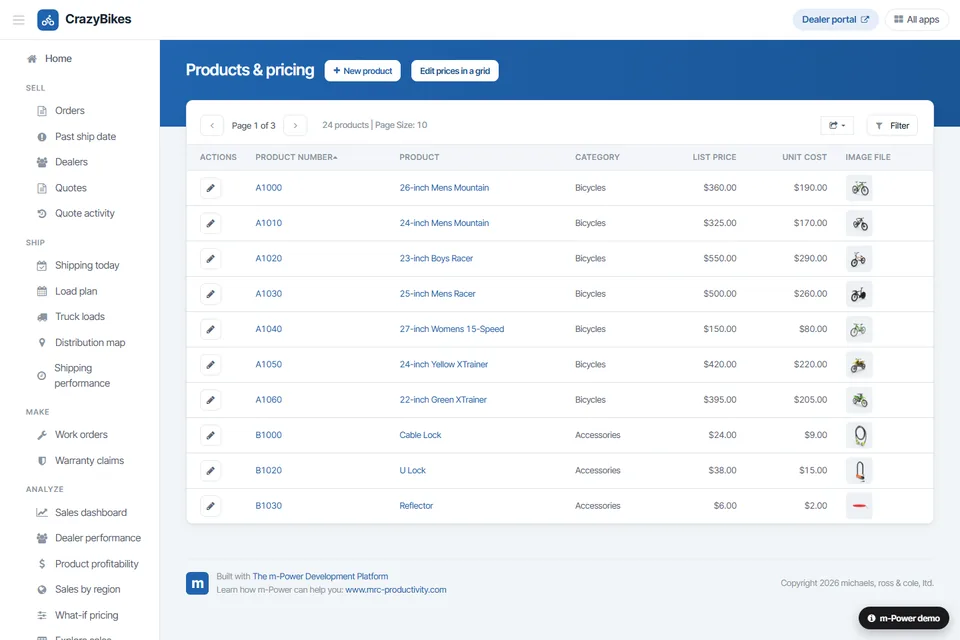
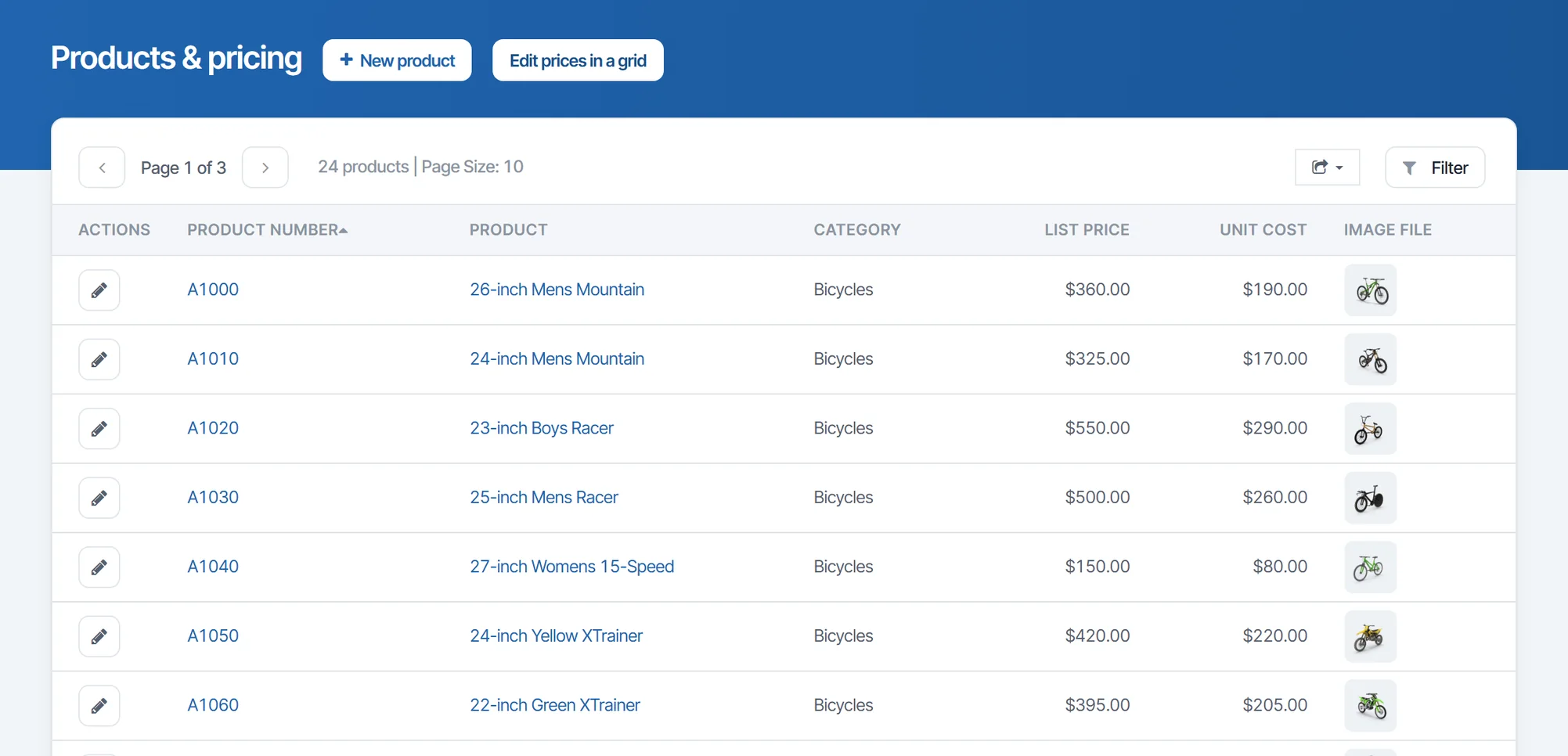
The everyday CRUD app: A searchable list of products, customers, vendors, or codes, with add, view, update, and delete. The CrazyBikes products app shown here is one, built over the product table.
- Searchable, sortable record lists
- Add, view, update, and delete
- Joined views across tables
Update Many Records at Once
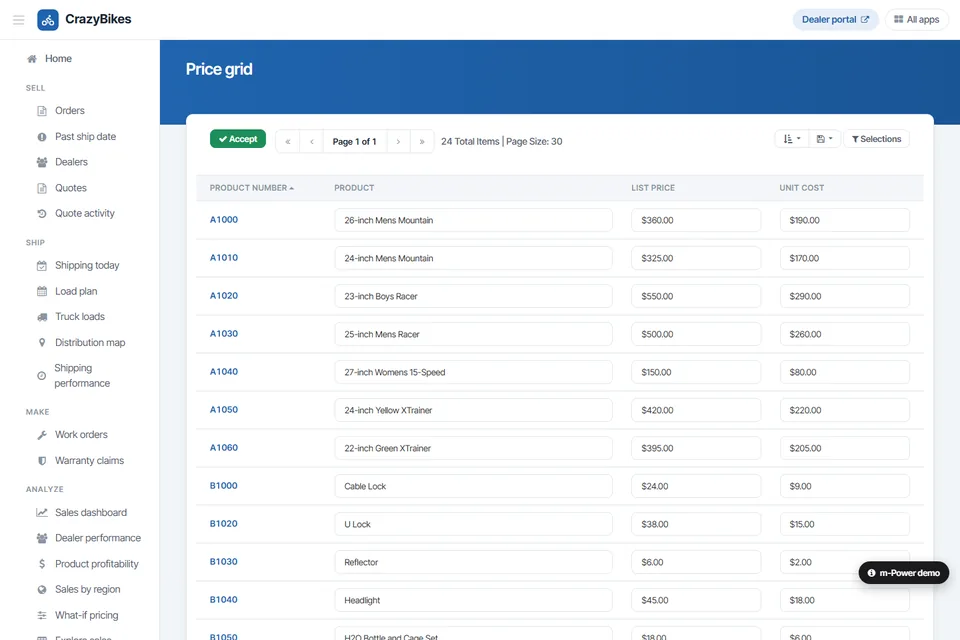
Some changes touch a whole set of rows, like list prices and unit costs across a product line. A grid app lets users edit the rows in place and save the changes together.
- Edit rows in place, like a spreadsheet
- Update multiple records in one save
- Same row-level security as every other app
CRUD Apps Over Any Relational Database
The same build process works over whatever you run. Put add, edit, and delete screens on your ERP tables, your IBM i files, or a cloud warehouse, without migrating any of it.
- Oracle, SQL Server, Db2, MySQL, PostgreSQL
- IBM i, Snowflake, and more
- Over ERP data or a green-screen system
Use Cases
A few of the CRUD apps teams build with m-Power. Build these yourself, or have our consultants build them for you:
Product and price maintenance
Let the people who own pricing update it, with validation and a log of who changed what.
Customer and vendor records
One screen to add a customer or vendor and keep the record current.
Code and lookup tables
Let the business maintain statuses, categories, and reason codes on its own.
Order entry and corrections
Enter orders and fix the ones that came in wrong, with your rules enforced.
Employee and HR records
Keep employee data current, with each manager limited to their own team.
Replace Access and spreadsheets
Move a shared-drive Access database or a master spreadsheet to a web app with one copy of the data.
ERP data maintenance
Add the edit screens your ERP is missing, over its own tables, without changing the ERP.
Mobile data entry
Add and update records from a phone or tablet, on the shop floor or in the field.
Set up a demo and we'll build a CRUD app over your database, live.
Get a DemoHenley Replaced Paper, Email, and PowerApps
Henley Enterprises ran more than 230 locations on paper, email, and PowerApps in SharePoint, and MS Access over their SQL data didn't hold up across the network. They used m-Power to build the apps themselves, over the same SQL data, and customized each one to the department that asked for it.
- Replaced PowerApps and SharePoint processes with apps over SQL
- A monthly safety checklist went from 2 to 3 days of processing to 5 minutes
- Marketing got a working app two weeks after asking
Database CRUD Demos
Try these live CRUD apps that were built with m-Power.
Products and Pricing
A maintenance app over the CrazyBikes product table: Search the list, then add, edit, or delete a product.
Price Grid
Edit list price and unit cost across many products in one grid, and save the changes together.
Custom CRM
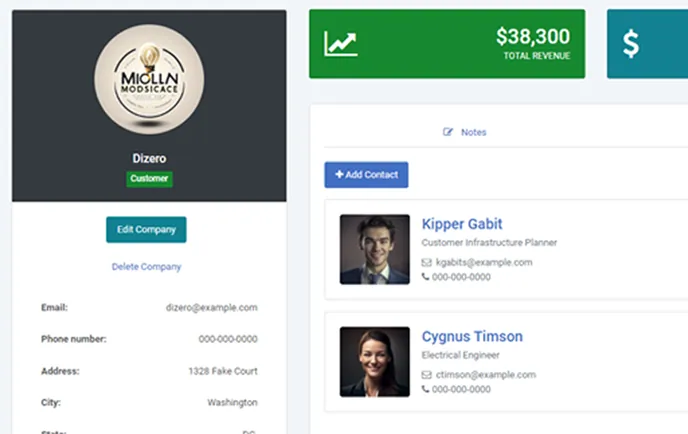
Contacts, companies, and deals, each one a CRUD app with notes. Workflow automation is switched off in this public demo.
Every CRUD App Runs on Your Security Model
Run each app on the same security model as the rest of your applications, so you control who can see, change, and delete each record.
Row-level permissions
Control which users see and edit which rows and columns.
Application security
Lock down application access per user role.
Use your authentication
Integrate with Active Directory, OAuth2, or SAML.
Audit trails
Full logging of user actions and record changes.
Frequently asked questions
Don't see your question? Ask us. You'll talk to a real person who actually cares whether this works for you.
Send us a noteWhat is a database CRUD application, and what does m-Power build?
How long does it take to build one?
Do we need programming skills?
Which databases can we connect to?
Does it validate what users enter?
Can users update many records at once?
Can we customize the look and feel?
Is it secure?
Do we pay per user?
Where does our data live?
Can our team build it, or do you build it?
Last updated: November 2026
See a CRUD app built over your database
We'll walk through the build process live, using your data and your use case, and answer any questions your team has.