mrc's Cup of Joe Blog

Join us in exploring the world of modern development, evolving technologies, and the art of future-proof software

Year: 2013

6 free white papers and guides for IT leaders

EducationWhat are the most pressing issues facing your business as we head into 2014? What technology problem(s) is your company facing that you plan to address in the coming year? I’m curious–feel free to share in the comments.

That being said, working in the IT industry, we see many of the most pressing issues facing companies on a daily basis. Over the past year, I’ve seen certain problems mentioned time and time again. For example, going into 2014, many companies are currently dealing with issues like these:

  • Mobile: From what we’ve seen, many companies are still trying to figure out how they can best take advantage of mobile apps. They’re trying to determine which approach works best for their needs.
  • Data accessibility: Another common issue, many companies still can’t easily access the data stored in their database. They need better reporting and BI tools that makes their data more accessible to even end users.
  • Legacy applications: An all-too-common issue, many companies are stuck to outdated applications and systems. They’re looking for ways to modernize their legacy applications, or breathe new life into their existing systems.

If your company is dealing with any of those issues, or plans on addressing them in 2014, I’d like to help. I’ve compiled some of our most popular white papers and guides that relate to the common issues mentioned above, and outlined them below. Here are 6 free white papers and guides that might help you address your company’s pressing issues as you head into 2014. I hope you find them useful:

Happy Holidays (plus, mrc giveaway winner announced)!

HappyHolidaysFirst, I’d like to start off with a sincere “Thank You” to everyone who has taken the time out of their days to read this blog over the past year. I hope you’ve found it useful and informative. If there are any topics you’d like to see covered in the coming year, please feel free to let me know in the comments.


Secondly, I’d like to congratulate this year’s winner of the mrc Giveaway: Michael Bennett! Michael will soon be the proud owner of a brand new iPad Mini! Thank you for all those that entered the giveaway this year, and make sure you stay tuned right here for the 2014 Giveaway, which will be announced in early-mid 2014.

Finally, from all of us here at mrc, we wish safe travels and a very happy holiday season!

Weekly Recap: Challenges in moving to the cloud, mobile tech predictions for 2014, and more…

EducationEvery week, I share the most interesting and useful tech articles that I’ve found over the past week. This week’s top articles focus on the changing IT department, challenges with moving to the cloud, and more. I hope you find them useful:

Avon’s failed SAP implementation a perfect example of enterprise IT revolution
Enterprise IT is undergoing a transformation. End user’s expectations have risen. They’ve learned that software can be both intuitive and powerful, and expect the same from their business software. If enterprise IT can’t deliver these type of solutions quickly, they’ll lose the business to software companies who can.

5 ways IT will change in the next 5 years

EducationThe death of the IT department has been greatly exaggerated. I remember seeing predictions back in 2007 that the cloud would eliminate IT departments by 2012. Over the last several years, I can’t even count how many similar predictions I’ve seen.

The fact is, much has been written regarding the effect of mobile usage and cloud computing on the IT department. Many say the IT department will disappear. Others say it will shrink.

Will any of that happen? I doubt it. We’re living in an era where technology plays a larger role in business than ever before, and it’s only growing. Is this the time to scale back on the department that best understands technology? Not for businesses that hope to succeed.

photo credit: Phillie Casablanca via photopin cc

However, while I don’t see the IT department disappearing, I do see it evolving. As consumer-owned mobile devices and third-party cloud applications work their way into the business, the IT department’s role is changing.

Today, let’s focus on that evolution. How is the IT department changing? What will it look like in 5 years? We’ve queried some experts in the area and have compiled their advice, along with some of my own below. Here are 5 ways the IT department will change in the next 5 years:

Weekly Recap: 5 trends that will make or break the CIO in 2014, benefits of BI, and more…

EducationEvery week, I share the most interesting and useful tech articles that I’ve found over the past week. This week’s top articles focus on trends that will make or break the CIO next year, benefits of BI software, and more. I hope you find them useful:

6 Enduring truths about selecting enterprise software
This is a great topic, and one that I covered earlier this year. In my experience, the most important aspect you can consider when purchasing enterprise software is…architecture. Why? Architecture plays a role in nearly every other aspect, like security, scalability, portability, and more. Look for enterprise software that’s built on an open foundation, rather than a something built with a proprietary language.

10 security mistakes web application developers should never make

EducationJust when you thought that the healthcare.gov debacle was finally on the uptick, a “white hat” hacker just testified on Capitol Hill that security was never properly built into the site. He claims that fixing the critical-to-high exposures could require up to a year of work.

Not exactly what you want to hear about a website that stores your most sensitive information.

I bring this up to highlight an important point: Despite the rising importance of proper security, best practices are often ignored. Basic security mistakes still plague many web applications…including healthcare.gov.

photo credit: elhombredenegro via photopin cc

As more development shifts to the web, and more data is stored on the cloud, security is a critically important topic. A single security misstep can compromise confidential business data or your customer’s personal information.

Today, let’s get back to the basics. While web application security is a broad topic, I’d like to focus on the security mistakes that web application developers should never make. These are the “basic” security principles that should never be ignored.

So, what are these security principles? What security mistakes should you never make? To help you answer those questions, we’ve compiled advice from some experts in the field (as well as some of my own) and listed everything below. Here are 10 security mistakes you should never make when developing web applications:

New m-Power interface makes web app development more intuitive

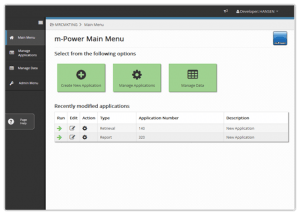
EducationIf you’re looking for an intuitive way to develop enterprise web applications (without programming), here’s some news you’ll love: We just released a brand new m-Power user interface, and it’s the most intuitive one yet! You can find more information about it below, or–if you just want to try it for yourself–feel free to sign up for a free Trial.

m-Power's re-designed interface
m-Power’s re-designed interface
Why did we rebuild the m-Power interface? Because we realize that web application development is evolving. As I explained in this article, new trends have emerged that will forever change the world of web application development software. Two of the most important of these changes include:

Weekly Recap: Why so many IT projects fail, PCs on the decline, and more…

EducationEvery week, I share the most interesting and useful tech articles that I’ve found over the past week. This week’s top articles focus on why so many IT projects fails, the decline of the PC, and more. I hope you find them useful:

IT pros share blame for Shadow IT problem
While Shadow IT is a growing problem among business units, the IT department isn’t innocent. A recent survey finds that IT professionals use unauthorized SaaS apps for business…just like the business users. How can IT leaders and CIOs curtail this issue? It all starts with a simple question: Why are users opting for third-party solutions in the first place?

5 ways to rejuvenate your legacy applications

EducationMany companies face the same problem: They’re stuck to their legacy enterprise applications and systems. Sure, they’d love to upgrade their outdated system, or replace those legacy applications, but…they can’t.

Why not? Maybe their business relies too heavily on their legacy applications. Maybe past customizations have virtually locked them into their legacy apps. Maybe it’s too risky or expensive. Maybe management doesn’t see the need for modern applications. Whatever the cause, the problem is the same: They’re tied to their legacy applications.

What problems does this cause? Quite a few. While I could explain how it keeps the company from modern features and capabilities and makes them look outdated, those issues are small potatoes compared to the larger business problems caused by legacy applications. For instance, legacy applications:

1. Tie up IT budget: Since legacy applications are more difficult to maintain, they require a good portion of the IT budget. How much? I’ve seen estimations ranging from 70-80%. Think about that. If you’re spending 80% of your budget maintaining the status quo, how can you ever afford modern technology?

2. Keeps IT from innovation: Since legacy applications are more difficult to maintain, they also require much of the IT department’s attention. Of course, if the IT department spends a good chunk of its time maintaining applications, they have little left to spend on business innovation–which, as we explained in this article, is becoming more and more important.

So, what can you do? If you’re stuck with legacy applications that you can’t replace, what are your options?

In this article, let’s explore a few ways to breathe new life into your old applications. If you can’t replace your systems or applications entirely, how can you bring modern features and capabilities to your legacy apps? To help you answer those questions, I’ve outlined some methods to do just that, and touched on the pros and cons of each. Without further ado, here are 5 ways to breathe new life into your applications.

Weekly Recap: 15 worst programmer productivity killers, top tech trends, and more…

EducationEvery week, I share the most interesting and useful tech articles that I’ve found over the past week. This week’s top articles focus on the worst programmer productivity killers, Forrester’s top tech trends, and more. I hope you find them useful:

When and why to develop a responsive application
The term “mobile app” is generally associated with the native app approach–apps that are built for a single platform and installed on the device itself. However, while native apps are popular now, they’re not always the best choice for business. If you’d like to read more on the topic, here’s a free paper you might want to check out.

Weekly Recap: 8 developer shortcuts that will cost you, the IT talent shortage, and more…

EducationEvery week, I share the most interesting and useful tech articles that I’ve found over the past week. This week’s top articles focus on the growing skills gap, development mistakes, and more. I hope you find them useful:

Tech leaders warn IT talent shortage could curb hiring plans
As technology advances at an ever-increasing pace, we’re seeing the skills gap widen. Companies are having trouble finding IT professionals with modern skills. The bad news: This isn’t getting any better.

7 hidden risks of native mobile app development

EducationAs more businesses build their own mobile apps, we’re seeing an increasing number of mobile app success stories crop up. For instance, here’s a recent article highlighting 4 different companies that use mobile apps to attract customers. Here’s another article from earlier this year highlighting other companies who are using mobile apps to improve business. I could share many more such stories, but you get the point: Mobile apps are taking off in the business world.

I believe this trend is on the rise. As businesses begin to understand the true power of mobile apps, many more will start building their own apps.

This is where things can get dangerous. Blinded by the possibilities, many businesses dive into mobile app development completely unprepared. They don’t understand the risks associated with mobile app development, and are headed for some unpleasant surprises.

Today, I’d like to help you avoid those surprises. I’m going to highlight a few of these hidden risks, with the hopes that you’ll be more prepared when you start the process.

But first, let’s quickly specify which type of mobile app we’re referring to. There are 3 different types of mobile apps (native/hybrid/mobile web), which you can learn more about here. However, today we’re focusing on the risks of developing native apps. Native mobile apps are downloaded via an app store/market and installed on the device itself. I’m addressing native apps because they’re probably the most popular application type, but also come with their fair share of hidden risks.

So, what hidden risks should companies watch out for when they dive into mobile app development? We posed that question to a few experts in the field, and have compiled their advice (along with some of my own) below. Here are 7 hidden risks of native mobile app development:

The 4 P’s of Business Intelligence Success

Education** This guest post was written by Estelle Nicholson. Learn more about Estelle in the author bio at the end of this post. **

When starting a BI project, your first step should be taking a quick look at existing initiatives and the overall culture and support for BI. Understand the “4 Ps” of “people, products, power and pilot” before you launch:

  1. Assess what you already have. Who are the people currently doing business intelligence activities? What roles could they play in a more formalized BI setting? Data experts, analysts, data set owners and compilers – all are key resources for requirements gathering and power use.
  2. What products and tools are people already using? Large data repositories, analytical software, spreadsheets, custom-built systems?
  3. Check your sponsorship or the power behind the mandate or the initiative.
  4. Engage influencers in a pilot early to demonstrate the capabilities of the tool(s) you’re implementing and build support.

7 web application development mistakes that kill usability

EducationNo web developer wants to create a bad user experience. Nobody sets out to make a confusing and frustrating interface that drives users away. But, the sad truth is…this happens far too often.

How often?

According to the online marketing institute, the problems caused by a poorly designed interface are substantial. The numbers indicate that:

  • 85% of users abandon a site due to poor design
  • 83% of users leave because it takes too many clicks to get what they want
  • 62% of users gave up looking for an item while shopping online
  • 40% of users never return to a site because the content was hard to use
  • 50% of sales are lost because visitors can’t find content

The fact is, usability is becoming an essential aspect of web application development. User expectations have changed. Modern end users expect to pick up a web app and understand how it works. Confusing interfaces will only frustrate users and drive them away.

However, many developers build applications which do just that. They unwittingly make development mistakes that hurt their web application’s usability. In doing so, they accidentally alienate their users.

What are these mistakes? In what ways do developers accidentally create interfaces that frustrate their users? We posed those questions to a few experts in the area of usability, and have compiled their feedback below. Here are 7 development mistakes that kill web application usability:

Weekly recap: Why big IT projects fail, a wake-up call for CIOs, and more…

EducationEvery week, I share the most interesting and useful tech articles that I’ve found over the past week. This week’s top articles focus on why big IT projects fail so often, a new look at the “native vs. mobile web” debate, and more. I hope you find them useful:

Smartphones: Business Risk or Opportunity
Business owners, CIOs, and IT leaders face a dilemma: How to harness the efficiencies of mobile devices while defusing the security risks. The fact is, many end users just don’t practice safe security habits. Those end users could very well compromise your company, unless you approach mobile the right way. My advice: The same thing I’ve said for the last couple of years. Treat the device like a thin client and use mobile web apps. This approach doesn’t store data on the device itself, and lets you keep your data safe behind your own firewall.

6 common IT practices that should be eliminated

EducationIn a past article, we explored the growing need for IT evolution and outlined 6 keys to a high-performing IT department. The fact is, keeping the lights on is no longer good enough. Modern IT organizations must move quickly, and drive the business forward.

However, I noticed a problem. While all of the keys outlined in that article will help IT departments improve performance, it ignores a critical issue: common IT practices that kill productivity and waste precious resources.

The fact is, you could follow each one of those points perfectly…yet still struggle. If your IT staff focuses its energy on time-wasting and resource-draining tasks, you’ll never drive the business forward. You’ll be caught in a never-ending cycle of being busy, yet ultimately unproductive.

So, what are these common time-wasting and resource-draining IT practices that must be eliminated? We posed that question to a few experts in the area, and have compiled their responses (as well as some of my own thoughts) below. Without further ado, here are 6 common IT practices that should be eliminated.

The dangers of choosing the wrong reporting software

EducationWhat’s the only thing worse than running a business without good reporting software in place? Running a business with bad reporting software in place.

The problems caused by bad reporting software can range from small inconveniences to major financial losses. For instance, bad reporting software can lead to:

  • Lost productivity
  • Wasted money
  • Security breaches
  • Flawed business decisions
  • and more…

How so? Take–for example–the most commonly used reporting tool: Spreadsheets. Why are spreadsheets a dangerous reporting option? Two reasons: They’re inefficient and dangerous:

Weekly Recap: 10 old-school IT principles that still rule, how to leverage BI for executive reporting, and more…

EducationEvery week, I share the most interesting and useful tech articles that I’ve found over the past week. This week’s top articles focus on how old-school IT principles have adapted with the times, how to leverage BI, and more. I hope you find them useful:

Four ways to leverage BI for executive-level reporting
While data is growing at a rapid rate, many don’t know how to turn this data into actionable insights. Why? It boils down to a lack of appropriate tools and processes.

6 critical guidelines for Business Intelligence beginners

EducationBusiness Intelligence (BI) consistently ranks as one of the top priorities in various CIO and IT surveys. A recent Gartner survey puts BI as the top CIO priority for the last two years running. Forrester comes to the same conclusion.

The fact is, many companies are (or are planning on) adopting a Business Intelligence solution for the very first time. With data growing by leaps and bounds, it’s no surprise that more businesses are looking for ways to capitalize on that data.

The only problem: Most BI implementations fail. It’s no secret. According to various surveys on the topic, anywhere from 60% – 80% of BI projects fail. Yikes.

This paints a grim picture. Implementing BI is the #1 CIO priority, and many businesses will start a BI project in the near future…but most BI projects fail.

Today, let’s explore a few ways to lower those numbers. What must companies who are new to BI do to ensure success? What critical tips should these companies follow? We posed those questions to a few experts in the field, and have compiled their advice (along with some of my own) below. Here are 6 critical tips for BI beginners:

Weekly recap: 9 hottest mobile development skills, strategic tech trends for 2014, and more…

EducationEvery week, I share the most interesting and useful tech articles that I’ve found over the past week. This week’s top articles focus on the hottest mobile development skills, Gartner’s strategic tech for 2014, and more. I hope you find them useful:

Combatting the information deluge
Information is exploding at an unprecedented rate. The burden falls on companies to not only turn that data into actionable metrics (like this user-defined dashboard, for example), but also secure and store that data.