
Essential Elements of Good BI Software
Every BI demo looks good for 30 minutes. What matters is which features your team still uses a year later. This webinar walks through the features worth insisting on, the BI applications most teams end up needing, and two live demo applications you can open and click through yourself.
What you'll learn
BI tools come in every shape and price, from a few hundred dollars to a few hundred thousand. This replay is about telling them apart. Here's what it covers:
The features worth insisting on
Which capabilities belong on your must-have list, so you have a checklist in hand the next time a vendor walks you through a demo.
The BI applications you can't live without
The application types most teams end up needing, shown as working software over real data rather than as slides.
Advanced features you won't find everywhere
Capabilities that separate a tool you keep from one you replace in two years, and where most BI products stop short.
The demo applications from the webinar
Both applications were built in m-Power and both are live. Open them and click around the way one of your users would.
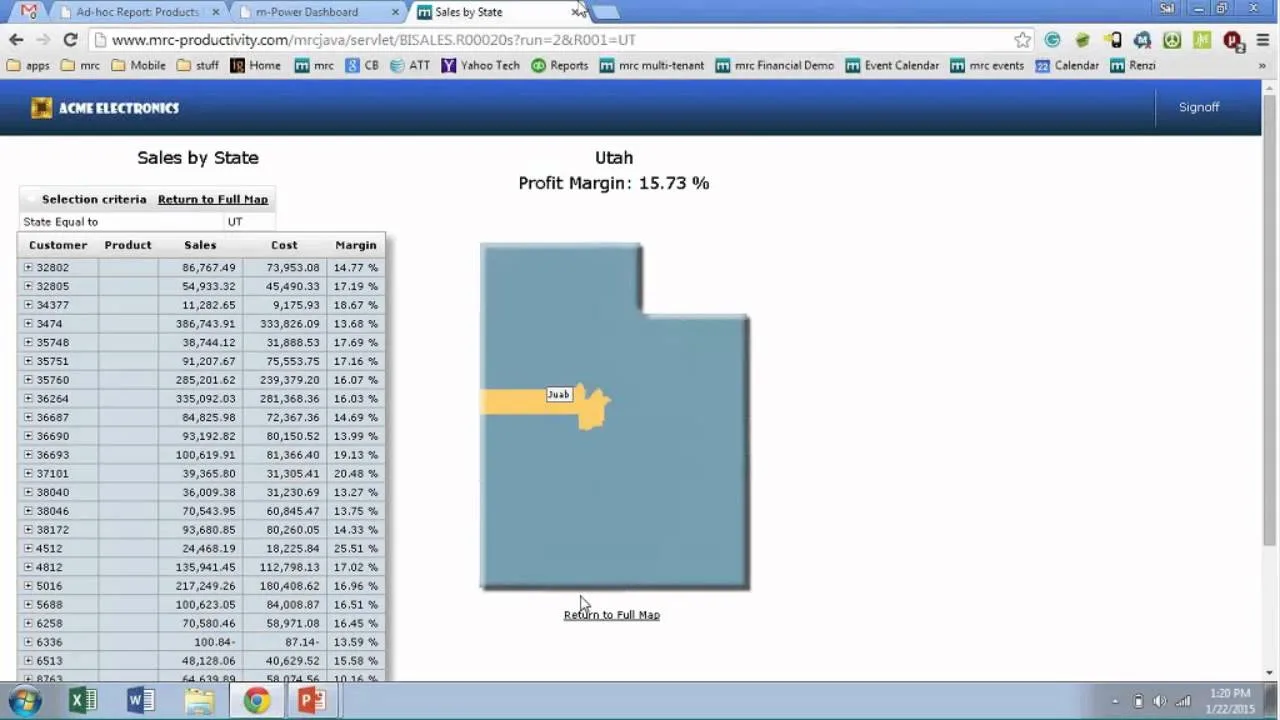
Geospatial sales application
Plots business data on an interactive map and drills into the detail behind any point on it.
Crazybikes demo site
A fictional bike company running a full set of BI application types, each one explained during the webinar.
See the BI applications you could build over your data
We'll walk through m-Power live, using your data and your reporting needs, and answer any questions your team has.