
Dashboards 101: How to Create Effective Dashboards
Plenty of dashboards get built, opened twice, and then ignored. Some are confusing, some show too much, and some show numbers nobody can act on. This session covers what separates a dashboard people check every morning from one that gets bookmarked and forgotten.
What we covered
About 20 minutes, including a full build. Here is what it covers:
Five features every good dashboard has
A checklist you can hold your existing dashboards against before you build the next one.
Let each user define their own view
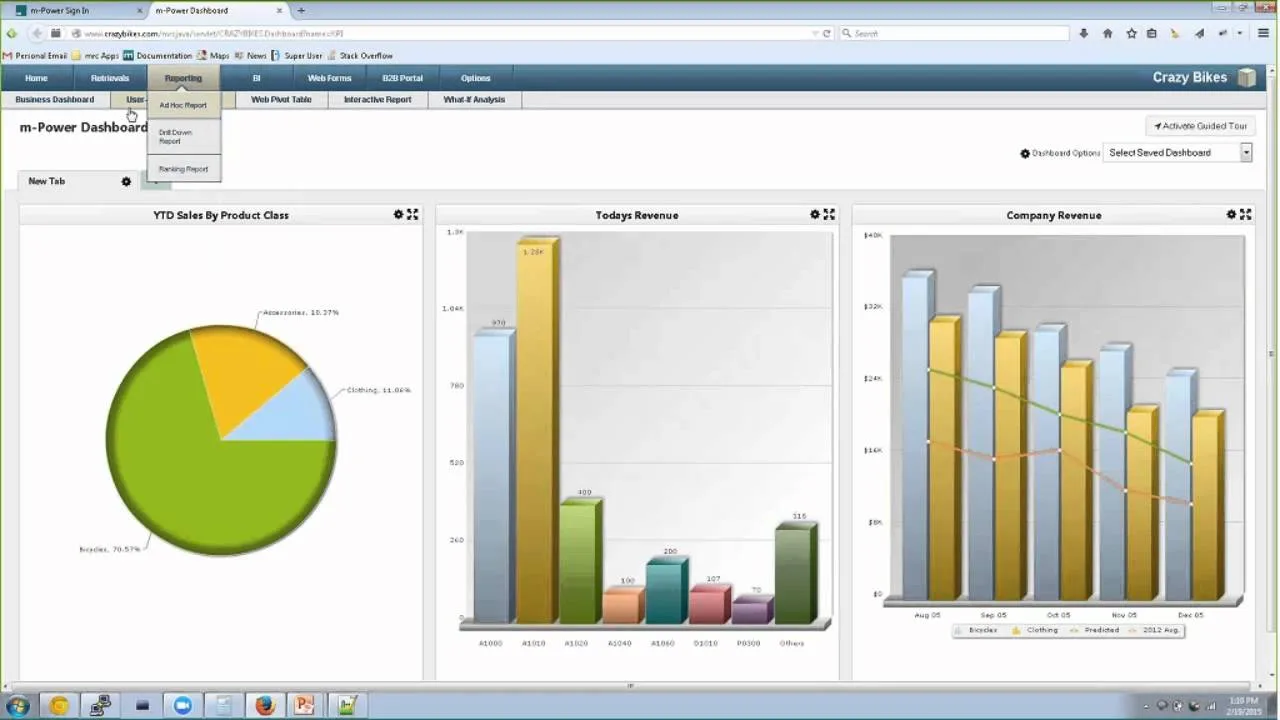
We walk through a demo user-defined dashboard, where people pick their own data and layout. That solves the usual problem of one dashboard trying to serve everybody.
Watch one get built
A dashboard built from start to finish on screen, so you can see what the work actually involves.
The demo dashboard from the webinar
The dashboard shown during the session is live and open to anyone.
User-defined KPI dashboard
The demo dashboard from the session. Choose which charts appear and control the look and feel.
See the dashboards you could build over your data
We'll walk through m-Power live, using your data and your use case, and answer any questions your team has.